Choosing among robot arms for indoor use can be difficult when kits vary widely in degrees of freedom, servo systems, software support, and included accessories. The right model depends on whether you want classroom-friendly STEM practice, hands-on Arduino development, wireless control, or a platform for advanced AI experiments.
This roundup compares 10 programmable robotic arm kits with an emphasis on indoor practicality, learning potential, expansion options, and control flexibility. Use the guide below to narrow the options by skill level, project goals, and budget.
Best 10 Robot Arms for Indoor Use Picks for 2026
Creative Coding Pick
Hiwonder-xArm1S 6DOF Robot Arm
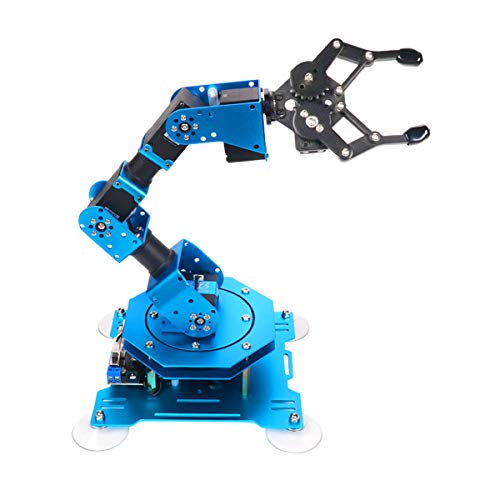
- Six-axis metal tabletop design
- 500g grasping capacity
- PC, app, mouse, and controller support
Best For: STEM learning, programming, and creative indoor projects
Open-Source Expansion Pick
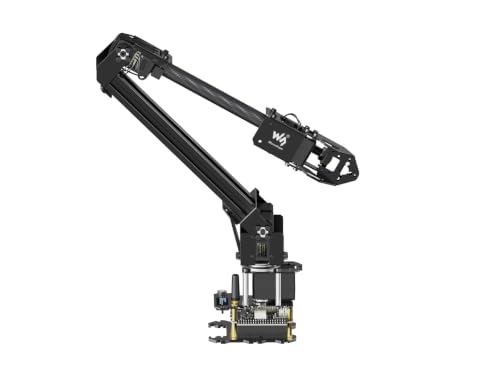
- ESP32 wireless and wired control
- 360-degree workspace
- Open-source expansion support
Best For: Custom projects, STEM development, and mobile platforms
Learning and AI Project Pick
LeArm Open Source 6DOF Robot Arm
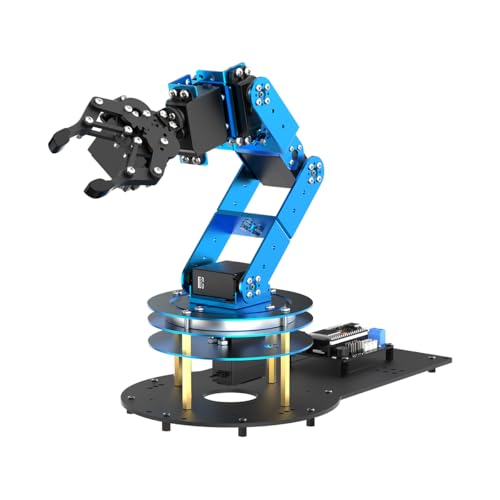
- ESP32 and Arduino compatible
- Inverse-kinematics motion planning
- Includes 200-plus learning resources
Best For: Advanced STEM education, AI experiments, and makers
Advanced Research Pick
Waveshare RoArm-M3-Pro 5+1 DOF

- 5+1 DOF with 2-DOF wrist
- ROS2 and LeRobot compatible
- ESP32 wireless and wired control
Best For: Robotics research, custom tooling, and intelligent-arm development
Best Creative Learning Pick
LeArm 6DOF Programming Robot Arm

- Six degrees of freedom for flexible desktop movement
- Metal structure with anti-stall servo protection
- PC, app, mouse, and wireless-handle control
Best For: Students, hobbyists, and creative robotics projects
Best Advanced AI Platform

- 500mm reach and 500g payload
- K230 vision module with 30+ AI features
- LeRobot, VLA, and open-source development support
Best For: University labs and advanced AI robotics development
Best Beginner STEM Kit
SIYEENOVE ESP32 4DOF Robot Arm
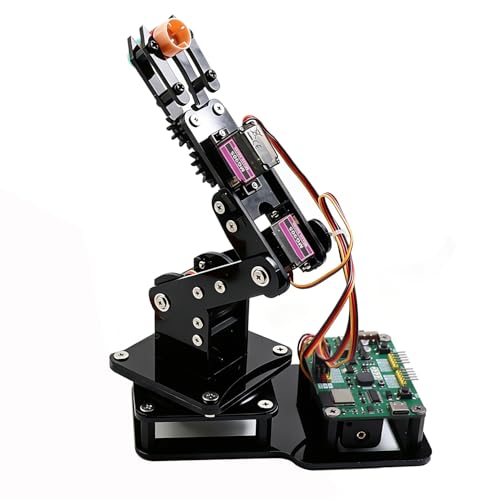
- Arduino and MicroPython support
- Joystick and browser-based web control
- Motion recording with loop playback
Best For: Teens, students, and entry-level DIY robotics
Best for Sensor-Based STEM Projects

- Arduino and expansion board included
- Multiple sensors for interactive projects
- Six intelligent servos with 500g grasping capacity
Best For: Teens and adults exploring Arduino robotics and sensor programming
Best Ready-to-Use Desktop Arm
LewanSoul xArm1S Assembled Robot
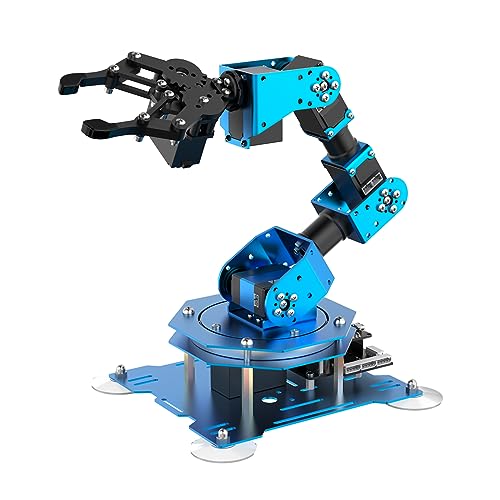
- Arrives in assembled form
- PC, app, mouse, and PS2 control
- Six-axis arm supports 500g grasping
Best For: Indoor STEM learning and remote-controlled tabletop projects
Best for Wireless Python Projects

- Python, Arduino, and ESP32 support
- WiFi and Bluetooth connectivity
- Sensor ports and suction nozzle included
Best For: Adult makers building connected robotics and programming projects
Creative Coding Pick – Hiwonder-xArm1S 6DOF Robot Arm
For shoppers comparing robot arms for indoor use, the Hiwonder-xArm1S is a capable tabletop platform for programming, remote-control experiments, and object handling. Its metal construction, six-axis design, and several control methods make it a flexible choice for STEM learning and creative projects.
Best For: Students, hobbyists, and makers aged 14 and up who want hands-on robotics and programming practice.
Pros:
- Six high-precision intelligent servos provide position, voltage, and temperature feedback.
- Can grasp objects weighing up to 500g.
- Supports PC, app, mouse, PS2 wireless controller, and manual control.
- Offers graphical programming and action editing through PC, app, or offline methods.
Cons:
- Its tabletop footprint and 1.1kg weight make it less suited to portable use.
- The supplied age details are inconsistent, so buyers should verify the appropriate age before purchase.
The xArm1S stands out when control flexibility and educational programming matter most. Its stable aluminum structure and feedback-enabled servos also give beginners a practical indoor platform for experimenting with movement and grasping.
Open-Source Expansion Pick – Waveshare RoArm-M2-S 4DOF
The Waveshare RoArm-M2-S is a lightweight option for robot arms for indoor use, especially when wireless control and future customization are priorities. Its ESP32 controller, open-source interfaces, and expansion plate support both learning and secondary development.
Best For: Makers, STEM learners, and developers building custom end-of-arm tools or mounting a compact arm on a mobile platform.
Pros:
- ESP32-based control supports multiple wireless and wired communication methods.
- Open-source control code and communication documentation support secondary development.
- 360-degree base and three flexible joints create a workspace with a 1-meter diameter.
- Weighs less than 850g and has a stated effective payload of 0.5kg at 0.5m.
Cons:
- Its four degrees of freedom provide less articulation than six-axis alternatives.
- Custom tooling and advanced development may require additional technical work.
Choose the RoArm-M2-S if you value an approachable web interface now but want room to expand later. Its low weight and broad workspace are useful for indoor prototypes and mobile-platform experiments.
Learning and AI Project Pick – LeArm Open Source 6DOF Robot Arm
The LeArm Open Source is a strong contender among robot arms for indoor use for learners who want assembly, Arduino programming, and sensor-based experimentation in one kit. It combines an ESP32 controller, six smart servos, inverse kinematics, and extensive learning resources.
Best For: Older students, university courses, engineers, and hobbyists exploring programming, AI concepts, and robotic-arm construction.
Pros:
- ESP32 controller with Arduino compatibility, Bluetooth, and expansion ports.
- Six smart PWM servos and inverse kinematics support precise path planning.
- Works with app, PC software, and a wireless controller.
- Includes 200-plus tutorials, experiments, open-source code, schematics, and programs.
Cons:
- At 2.37kg, it is heavier than the other supplied lightweight kit option.
- The recommended age is 16 years and up, making it less suitable for younger beginners.
- Its broad sensor and programming capabilities may have a steeper learning curve.
LeArm is best suited to buyers who want a deeper educational pathway rather than a simple remote-controlled arm. The combination of build activity, open-source programming, and sensor expansion leaves plenty of scope for progressively more advanced indoor projects.
Advanced Research Pick – Waveshare RoArm-M3-Pro 5+1 DOF
For advanced robot arms for indoor use, the Waveshare RoArm-M3-Pro combines 5+1 degrees of freedom with ESP32 wireless control, direct-drive joints, and compatibility with ROS2 and LeRobot. It is aimed at flexible prototyping, custom end-effectors, and intelligent robotics research.
Best For: Developers and researchers working on ROS2, deep learning, imitation learning, or custom robotic-arm applications.
Pros:
- 5+1 DOF design includes a 2-DOF wrist joint for more flexible movement.
- 360-degree omnidirectional movement and flexible installation support varied setups.
- Direct-drive joints are designed to improve repeat positioning and structural reliability.
- Supports ESP32 wireless and wired communication, ROS2, LeRobot, and expandable end-effectors.
Cons:
- Its research-oriented feature set may be more than casual users need.
- Advanced ROS2, deep-learning, and imitation-learning applications require technical expertise.
- The supplied notes do not specify payload, dimensions, or total weight.
The RoArm-M3-Pro is the most development-focused option in this group. Its software compatibility, wrist articulation, and expansion support make it a compelling indoor platform for serious experimentation, provided you are comfortable with a more technical setup.
Best Creative Learning Pick – LeArm 6DOF Programming Robot Arm
The LewanSoul LeArm is a practical choice for shoppers seeking robot arms for indoor use that support hands-on building and programming. Its metal desktop frame, six degrees of freedom, multiple control methods, and included tutorials make it suitable for creative projects, demonstrations, and introductory robotics work.
Best For: Students, hobbyists, and makers who want a buildable desktop arm with PC, app, mouse, and wireless-handle control.
Pros:
- Six degrees of freedom support grasping, object transport, and custom movements.
- Metal brackets, high-torque base servos, and industrial-grade bearings provide a stable structure.
- Includes graphical programming software, tutorials, Arduino compatibility, and several control options.
- Anti-stall protection helps reduce stress on the end servos.
Cons:
- Its recommended age range and programming features may be more suitable for older students and adults.
- It uses an AC adapter rather than battery power, which limits placement to areas near an outlet.
Choose the LeArm if you value the assembly and learning process as much as operation. It is a versatile indoor platform, though buyers wanting advanced AI features or a larger working reach may need a more specialized model.
Best Advanced AI Platform – NexArm 6-Axis Embodied AI Arm
The Hiwonder NexArm is aimed at advanced users comparing robot arms for indoor use with AI, vision, and open-source development capabilities. Its full-metal six-axis design combines a 500mm reach, 500g payload, magnetic encoder servos, and support for the LeRobot ecosystem.
Best For: University labs, developers, and experienced robotics learners exploring imitation learning, vision-guided grasping, and multimodal AI.
Pros:
- Offers a 500mm reach, 500g payload, and stated ±2mm repeatability.
- Supports LeRobot, community datasets, simulations, ACT, and VLA model deployment.
- The K230 vision module provides more than 30 stated AI vision features, including object, color, gesture, and sorting recognition.
- Includes open-source code, schematics, tutorials, and PC, app, remote, and Arduino control.
Cons:
- The advanced AI and development features may be excessive for beginners seeking simple manual control.
- Its larger 24.4-inch listed dimension requires more indoor workspace than compact desktop kits.
NexArm stands out when the goal is experimentation with embodied AI rather than basic pick-and-place demonstrations. Its open architecture and vision features offer substantial room to grow, but they also imply a steeper learning curve.
Best Beginner STEM Kit – SIYEENOVE ESP32 4DOF Robot Arm
The SIYEENOVE ESP32 arm is a beginner-friendly option for robot arms for indoor use, especially when building, coding, and repeatable motion are priorities. Its four MG90S servos, pre-programmed ESP32-C3 board, joystick controls, and web interface create an accessible platform for STEM projects.
Best For: Teens, students, and DIY makers learning Arduino, MicroPython, electronics, and basic robotic motion.
Pros:
- DIY construction provides hands-on practice with robotics and electronics.
- Supports both joystick control and a browser-based web app without requiring app installation.
- Motion recording and loop playback allow users to create repeatable demonstrations.
- Open-source code, tutorials, and expandable hardware support offer room for experimentation.
Cons:
- Four degrees of freedom and MG90S servos are intended for lightweight objects rather than demanding loads.
- Batteries are not included.
- Its plastic outer material may be less rugged than full-metal alternatives.
This kit is a strong fit for accessible home or classroom projects where users want to assemble and program an arm without a complex setup. Consider another model if you need a heavier payload, more axes, or advanced vision functions.
Best for Sensor-Based STEM Projects – LewanSoul xArmUno 6DOF Kit
For shoppers comparing robot arms for indoor use, the LewanSoul xArmUno stands out as a sensor-equipped desktop kit for hands-on Arduino programming. It combines a 6DOF aluminum-alloy arm with expansion hardware for interactive projects such as color sorting, distance measurement, and object grasping.
Best For: Teens and adults building indoor STEM, Arduino, and sensor-driven robotics projects.
Pros:
- Includes an Arduino, expansion board, and light, ultrasonic, color, and touch sensor options.
- Supports PC, mobile app, mouse, and wireless PS2 controller operation.
- Six intelligent servos provide position, voltage, and temperature feedback.
- Can grasp objects weighing up to 500g.
Cons:
- Recommended for ages 14 and up, so it is not intended for young children.
- Its programming and sensor features may require time for setup and learning.
The xArmUno is a versatile choice when sensor experimentation matters as much as arm movement. Its included Arduino resources and multiple control methods make it especially useful for creative indoor coding projects.
Best Ready-to-Use Desktop Arm – LewanSoul xArm1S Assembled Robot
If you want robot arms for indoor use without assembling the mechanism first, this assembled LewanSoul xArm1S offers a practical desktop starting point. Its six-axis aluminum design supports remote grasping, object transport, action editing, and programming-focused STEM activities.
Best For: Learners and hobbyists who want an assembled indoor arm for coding, remote control, and tabletop demonstrations.
Pros:
- Assembled version reduces the initial mechanical setup.
- Supports PC, phone app, mouse, and wireless PS2 controller control.
- Six intelligent servos provide position, voltage, and temperature feedback.
- Can grasp objects weighing up to 500g.
Cons:
- Recommended for ages 14 and up.
- The listed operation mode is manual, despite its programming and action-editing features.
This model is a strong fit for buyers who value convenience and varied control options. Because it arrives assembled and supports several action-editing methods, it can move quickly from setup to indoor experimentation.
Best for Wireless Python Projects – LewanSoul MaxArm ESP32 Kit
Among robot arms for indoor use, the LewanSoul MaxArm is tailored to makers who want programming flexibility and wireless expansion. Its ESP32 controller supports Python and Arduino development, while WiFi, Bluetooth, sensor ports, and a suction nozzle open the door to more advanced tabletop projects.
Best For: Adult makers and students developing Python, Arduino, ESP32, and connected robotics applications indoors.
Pros:
- Supports both Python and Arduino programming.
- ESP32 platform includes WiFi and Bluetooth for wireless development.
- Link mechanism and inverse kinematics support x, y, and z-axis end-effector movement.
- Includes sensor expansion ports and a suction nozzle.
Cons:
- Recommended for ages 16 and up.
- Its open-source and expansion features may be more complex than a basic introductory arm.
- The notes describe three smart bus servos rather than a six-axis design.
The MaxArm is the most development-oriented option in this group. Choose it when wireless connectivity, ESP32 expansion, and Python support are more important than having the simplest possible learning setup.
How We Picked the Best Robot Arms for Indoor Use
We focused on programmable desktop arm kits suitable for home workshops, classrooms, maker spaces, and small labs. The selection emphasizes practical features including degrees of freedom, servo quality, mechanical construction, controller compatibility, programming support, wireless connectivity, and the usefulness of included tools such as claws, handles, suction nozzles, and sensors.
We also considered how approachable each platform is for learners. Kits with Arduino, ESP32, Python, MicroPython, PC software, mobile apps, tutorials, or open-source documentation can provide a smoother path from basic motion control to custom automation and AI projects.
Quick Comparison
| Best For | Look For | Typical Advantage |
|---|---|---|
| Beginners and classrooms | Clear tutorials, Arduino support, included controller | Faster setup and easier lessons |
| Advanced makers | ESP32, Python, bus servos, expansion ports | More control and customization |
| Wireless projects | Wi-Fi, app, web, or remote control | Flexible indoor operation |
| AI and robotics research | Open-source software, imitation learning, camera integration | Better experimentation potential |
Key Buying Factors for Robot Arms for Indoor Use
Degrees of Freedom and Movement
Four-degree-of-freedom arms are generally simpler and easier to operate, while five- and six-axis designs offer more natural positioning and improved access to objects from different angles. Choose based on the motions your projects require rather than selecting the highest number automatically.
Servo Type and Payload
Metal-geared or high-torque serial bus servos can improve positioning, durability, and feedback. Check the stated payload and reach, but remember that maximum capacity often decreases when the arm is fully extended or moving quickly.
Programming and Connectivity
Arduino support is useful for structured lessons and electronics projects. ESP32, Python, MicroPython, Wi-Fi, web controls, and PC applications are valuable when you want remote operation, custom interfaces, or more advanced automation. Verify operating-system requirements and whether software, cables, and power supplies are included.
Build, Assembly, and Expansion
Full-metal construction can provide rigidity, but it may add weight and assembly time. Look for accessible replacement parts, expansion ports, compatible grippers, sensor support, and documentation before committing to a platform.
Who Should Buy Which Robot Arms for Indoor Use?
Beginners, parents, and educators should favor an Arduino-based kit with clear tutorials, a straightforward claw, and an included controller. Makers who want deeper customization should prioritize ESP32, Python, MicroPython, or serial bus servo support. Buyers planning wireless demonstrations should choose a model with Wi-Fi, app, or web control. For advanced robotics and AI work, an open-source six-axis platform with expansion support and imitation-learning compatibility is the better long-term choice.
Before buying, confirm the arm’s footprint, power requirements, assembly level, software compatibility, and realistic payload. A compact desktop kit is usually the best fit for indoor use, especially when the work area, safety clearance, and storage space are limited.