The best USB-C cables for laptops do more than connect a charger. They can determine charging speed, data-transfer performance, display compatibility, and how comfortably you can work at your desk or on the go.
We compared 10 USB-C options across charging capacity, cable length, durability, data performance, and everyday laptop compatibility so you can choose the right cable without paying for features you do not need.
Best 10 USB C Cables for Laptops Picks for 2026
Reliable Everyday Pick
Amazon Basics USB-C to USB-C Cable
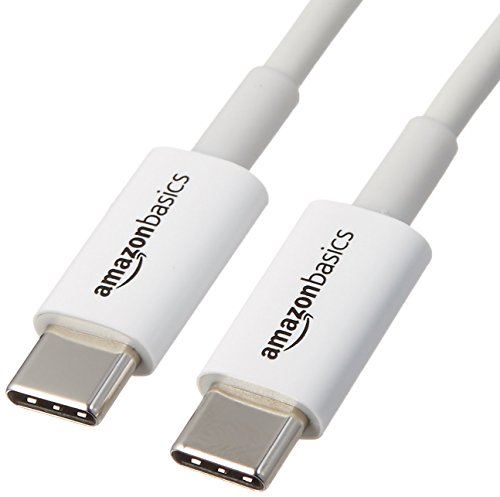
- USB-IF certified for dependable compatibility
- 6-foot length for flexible everyday use
- 15W charging and 480 Mbps data transfer
Best For: Basic charging and data transfers
High-Speed Versatility Pick

- Up to 20Gbps data transfer
- 4K at 60Hz video on compatible devices
- Up to 100W charging with a suitable adapter
Best For: Fast storage, USB-C displays, and laptop charging
Long-Reach High-Power Pick
240W USB-C Cable, 6.6-Foot 2-Pack
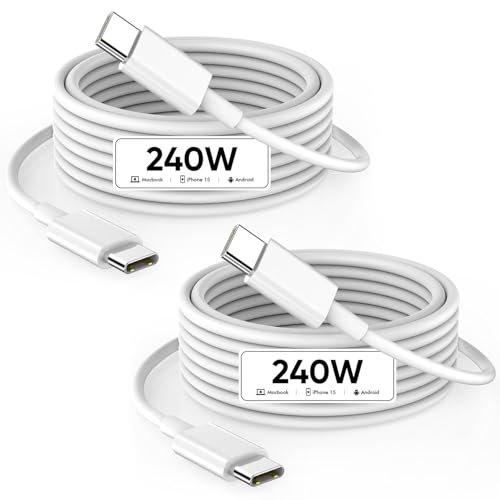
- Up to 240W charging with compatible equipment
- 6.6-foot length for flexible placement
- Two-pack with 480 Mbps data support
Best For: Long-distance laptop charging and backup use
Extra-Long Durable Pick
Anker 100W USB-C Cable, 10-Foot
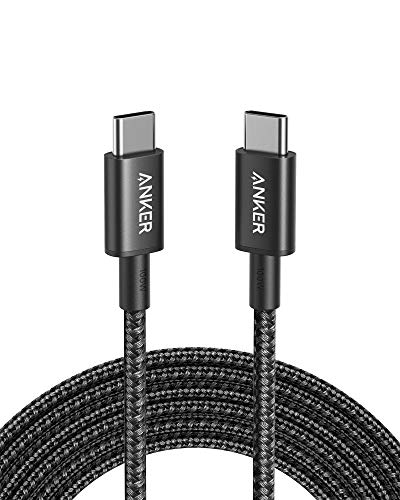
- 10-foot reach for distant outlets
- Up to 100W charging with a compatible charger
- Nylon construction and 5,000-bend lifespan
Best For: Long-distance laptop charging
Best High-Wattage Pick

- Supports up to 240W charging
- Broad laptop and device compatibility
- EMARK2.0 charging protection
Best For: Power-hungry laptops and gaming devices
Best Two-Pack Value

- 100W charging support
- Includes two nylon cables
- 5,000-bend lifespan and warranty
Best For: Desk, travel, and backup charging setups
Best Long Cable
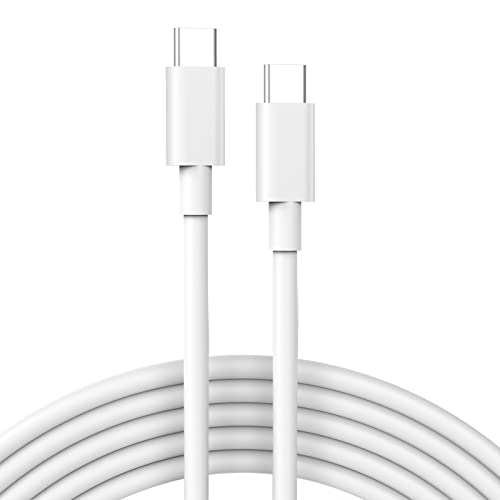
- Extra-long 6.6-foot design
- Supports up to 60W charging
- 480Mbps data syncing and USB-IF certification
Best For: Flexible charging at desks, sofas, and in cars
Best for Maximum Power

- Supports up to 240W charging
- Rated for over 300,000 bends
- USB 2.0 with 480Mbps data
Best For: Durable, high-power laptop charging
Best for Smart 240W Charging
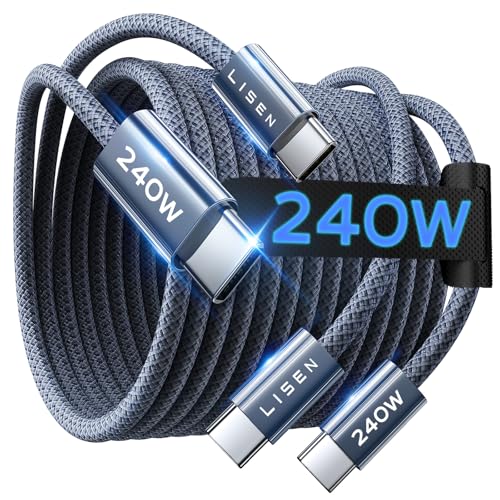
- Supports up to 240W PD3.1 charging
- E-Marker 3.0 adds power monitoring
- 6.6-foot nylon cable rated for 40,000+ flex cycles
Best For: Flexible, high-power charging across USB-C devices
Reliable Everyday Pick – Amazon Basics USB-C to USB-C Cable
For shoppers comparing USB C cables for laptops, this 6-foot Amazon Basics option is a straightforward choice for charging and basic data transfers. It is USB-IF certified, supports up to 15W charging and 480 Mbps data speeds, and works with a broad range of USB-C devices.
Best For: Everyday charging and basic file transfers between USB-C laptops, phones, tablets, and power banks.
Pros:
- USB-IF certified for USB-C compatibility.
- 6-foot length provides useful reach at a desk or outlet.
- Supports charging up to 15W and data speeds up to 480 Mbps.
- Backed by an Amazon Basics 1-year limited warranty.
Cons:
- Limited to 15W charging, so it is not ideal for high-power laptop charging.
- USB 2.0 speeds are slower than modern high-speed USB-C cables.
This is a practical, budget-oriented cable for basic USB-C connectivity. Choose a higher-wattage or faster data cable if your laptop setup requires USB Power Delivery or large-file transfers.
High-Speed Versatility Pick – ZeroneTeck 20Gbps USB-C Cable
This USB C cable for laptops is aimed at users who need more than charging. It supports up to 20Gbps data transfer, 4K at 60Hz video output on compatible USB-C DisplayPort Alt Mode devices, and up to 100W charging with an appropriate power adapter.
Best For: Laptop users connecting fast SSDs, USB-C monitors, and high-power chargers with one cable.
Pros:
- Up to 20Gbps data transfer for compatible devices.
- Supports 4K at 60Hz video output when the devices support DP Alt Mode.
- Up to 100W charging with a built-in E-Marker chip and suitable adapter.
- 3-foot length, stated 50,000-plus bend resistance, and a 3-year warranty.
Cons:
- Maximum performance depends on compatible ports, devices, and adapters.
- It is only 3 feet long, which may be limiting for some desk setups.
- Video output is unavailable if the connected USB-C port does not support DP Alt Mode.
Among these USB-C laptop cable options, this is the most feature-rich for data, display, and charging. Verify your laptop, monitor, and storage-device specifications before expecting the maximum rated speeds.
Long-Reach High-Power Pick – 240W USB-C Cable, 6.6-Foot 2-Pack
If you need long USB C cables for laptops, this 6.6-foot C-to-C cable offers plenty of reach and is rated for up to 240W USB Power Delivery with a compatible charger. It also supports 480 Mbps data transfer and comes as a two-pack for keeping a spare nearby.
Best For: MacBook and other USB-C laptop users who want a long charging cable and a second cable for backup or another location.
Pros:
- Supports up to 240W charging when paired with suitable equipment.
- 6.6-foot length works well beside beds, sofas, desks, and in cars.
- Two-pack provides an extra cable for convenient placement.
- Rated for up to 20,000-plus bends and includes an intelligent charging chip.
Cons:
- Data transfer is limited to 480 Mbps, rather than high-speed USB 3 standards.
- Maximum charging depends on the charger and connected device.
- The supplied notes list charging and syncing but do not indicate video-output support.
This cable prioritizes charging power, length, and quantity over fast data connectivity. It is a sensible choice for laptop charging stations, but users moving large files or driving a USB-C display should consider a cable with explicit high-speed and video specifications.
Extra-Long Durable Pick – Anker 100W USB-C Cable, 10-Foot
This 10-foot Anker cable is a convenient option for USB C cables for laptops when outlet placement is awkward. It supports charging up to 100W, uses a nylon exterior rated for a 5,000-bend lifespan, and includes a cable tie and Anker’s stated everlasting warranty.
Best For: Laptop charging from distant outlets at home, in offices, or wherever extra cable reach matters.
Pros:
- 10-foot length offers exceptional reach for charging setups.
- Supports up to 100W charging with a compatible charger.
- Nylon exterior and 5,000-bend lifespan add everyday durability.
- Includes a hook-and-loop tie and stated everlasting warranty.
Cons:
- Does not support video output.
- Data transfer is listed at 480 Mbps, slower than high-speed USB-C cables.
- The long length may be excessive for compact desk setups.
This is a strong fit when reach and charging reliability matter more than display connectivity or fast file transfers. For a laptop dock or USB-C monitor, choose a cable that explicitly supports video output instead.
Best High-Wattage Pick – INIU 240W USB-C Cable
For shoppers comparing USB C cables for laptops, this INIU option stands out with support for up to 240W charging. It is designed for compatible high-power laptops and other USB-C devices, with an EMARK2.0 chip for charging and temperature monitoring.
Best For: Power-hungry laptops, including compatible MacBook Pro, Dell, Lenovo, HP, ASUS, and gaming devices.
Pros:
- Supports charging up to 240W with a compatible charger.
- Works with laptops, tablets, phones, handheld gaming devices, and other USB-C products.
- EMARK2.0 protection monitors temperature and helps guard against overcharging.
- Includes a 3-year INIU Care warranty.
Cons:
- Requires a compatible 240W USB-C charger to reach its maximum capability.
- The supplied notes do not specify video-output support or data-transfer speed.
This is the strongest choice when laptop charging speed and broad USB-C compatibility matter most. Its 240W ceiling may be more capacity than lower-power laptops need, but it provides useful headroom for demanding systems.
Best Two-Pack Value – Anker 100W USB-C Cable
This Anker two-pack is a practical option for shoppers seeking USB C cables for laptops in multiple locations. Each cable supports up to 100W charging, uses a nylon exterior, and is rated for a 5,000-bend lifespan.
Best For: Laptop owners who want a spare cable for a desk, travel bag, or second charging setup.
Pros:
- Supports fast charging up to 100W with a compatible charger.
- Two cables provide convenient backup or multi-location use.
- Nylon construction and a stated 5,000-bend lifespan add durability.
- Includes a hook-and-loop cable tie and an everlasting warranty.
Cons:
- Does not support video output.
- Data transfer is limited to the listed 0.48 Gbps rate.
- The listed cable length is 3.3 feet, which may be short for some setups.
Choose this set for dependable charging and straightforward everyday use rather than monitor connectivity. The two-pack and warranty make it especially useful as a backup-oriented laptop cable bundle.
Best Long Cable – IFEART 6.6-Foot USB-C Cable
For flexible laptop charging, this 6.6-foot IFEART cable gives you extra reach around a desk, sofa, bedroom, or car seat. It supports up to 60W charging, 480Mbps data synchronization, and compatibility with many USB-C laptops, tablets, phones, and gaming devices.
Best For: Users who need a longer USB-C cable for MacBook, Dell, Lenovo, HP, iPad, phone, or handheld gaming-device charging.
Pros:
- 6.6-foot length offers more placement flexibility than a short cable.
- Supports up to 60W charging and 480Mbps data syncing.
- USB-IF certified with short-circuit, overheating, and overcharging protection claims.
- Soft-touch TPE construction is tested for more than 20,000 bends.
Cons:
- 60W maximum may not meet the full charging needs of some high-performance laptops.
- Only one cable is included.
- The supplied notes do not indicate video-output support.
This cable is a good fit when reach and everyday charging flexibility are more important than maximum wattage. Check your laptop’s charging requirement before choosing it for a higher-powered model.
Best for Maximum Power – Anker Prime 240W USB-C Cable
For shoppers comparing USB C cables for laptops, the Anker Prime stands out with 240W charging support and a 6-foot length. It is a USB 2.0 cable, so it is designed primarily for charging rather than high-speed data or display connectivity.
Best For: Users who want a highly durable, long USB-C cable for powerful laptop charging.
Pros:
- Supports up to 240W charging for compatible devices.
- Engineered to withstand more than 300,000 bends.
- Uses a 100% post-consumer recycled outer layer and includes a cord organizer.
- Backed by an everlasting warranty.
Cons:
- USB 2.0 data speeds are limited to 480Mbps.
- Does not support screen mirroring.
- Fast charging depends on compatible devices and power equipment.
The Anker Prime is a strong choice when charging durability and high power matter most. Choose another cable if you need display output or faster data transfers.
Best Budget Laptop Charger Cable – 65W USB-C to USB-C Cable
This 6-foot cable is a practical option for shoppers seeking USB C cables for laptops with moderate power needs. It supports up to 65W PD charging and USB 2.0 data transfer, making it suitable for compatible laptops, tablets, phones, and other USB-C devices.
Best For: Everyday laptop charging at home, in the office, or while traveling.
Pros:
- Supports up to 65W PD charging with compatible equipment.
- Six-foot length offers useful reach at a desk or on the go.
- Includes protection against short circuits, over-current, over-voltage, overheating, and overcharging.
- USB-C connectors were tested for more than 6,000 plug cycles.
Cons:
- Requires a 65W PD charger or power block for fast charging.
- Not suitable for laptops that require more than 65W.
- Supports USB 2.0 data transfer rather than high-speed data.
This cable offers useful length and basic safety features at a moderate power level. Check your laptop’s charging requirements before buying, particularly for performance-oriented models.
Best for Smart 240W Charging – LISEN 240W USB-C Cable
The LISEN cable is a versatile pick among USB C cables for laptops, supporting USB-C Power Delivery 3.1 EPR charging up to 240W. Its 6.6-foot length, E-Marker 3.0 chip, and flexible nylon construction make it suited to demanding charging setups, though it remains a USB 2.0 data cable.
Best For: Users who want one long USB-C cable for compatible laptops, tablets, and phones with varying power requirements.
Pros:
- Supports up to 240W charging with PD3.1 EPR and QC4.0 compatibility.
- E-Marker 3.0 monitors current and voltage and works with device power requirements.
- Uses 48-strand military-grade nylon and is rated for more than 40,000 flex cycles.
- Uses 99.99% oxygen-free copper cores and supports 480Mbps data transfer.
Cons:
- USB-C to USB-C only; it does not include a USB-A connector.
- USB 2.0 data speeds are not intended for high-speed file transfers.
- Actual charging speed depends on the device and USB-C power adapter.
With broad power support and a long, reinforced design, the LISEN is a compelling multipurpose charging cable. It is best suited to buyers who prioritize charging flexibility over video output or fast data syncing.
How We Picked the Best USB C Cables for Laptops
We focused on USB-C-to-USB-C cables suited to modern laptops, tablets, and USB-C chargers. The selection includes affordable everyday charging cables, 100W options for demanding notebooks, and 240W models designed for newer high-power USB-C systems. We also considered cable length, pack size, stated data speeds, construction, brand reputation, and compatibility claims.
Because USB-C describes the connector rather than guaranteed performance, we treated charging wattage and transfer specifications separately. A cable advertised primarily for charging may not support fast file transfers or external displays.
Quick Comparison
| Best For | What to Look For |
|---|---|
| Everyday charging | 60W to 100W support and a convenient length |
| Gaming or workstation laptops | 100W or higher, depending on the laptop’s requirement |
| Fast file transfers | USB 3.2 Gen 2 or higher and a clearly stated data rate |
| External monitors | Explicit video and DisplayPort Alt Mode support |
| Travel or backups | Compact length, durable construction, or a multipack |
Key Buying Factors for USB-C Cables for Laptops
Power Delivery and Wattage
Check your laptop’s charger requirement before choosing a cable. A 65W cable may suit an ultraportable, while performance laptops can benefit from 100W or 240W-rated cables. Higher wattage does not make a laptop charge faster than its charger and power-management system allow, but an appropriately rated cable helps avoid bottlenecks.
Data Speed
If you regularly move large files, look beyond charging labels. USB 2.0 cables are often adequate for charging but slow for storage devices. Choose a cable with a stated 5Gbps, 10Gbps, or 20Gbps rating when transfer performance matters.
Display Support
Not every USB-C cable carries video. For a monitor, dock, or USB-C display, confirm that the cable explicitly supports video output or DisplayPort Alt Mode. A high-wattage charging cable alone is not enough.
Length and Durability
Short cables reduce desk clutter and are easy to pack, while 6-foot-plus models work better with floor-level outlets, standing desks, and hard-to-reach ports. Braided jackets, reinforced connectors, and strain relief can improve longevity, but thicker cables may be less flexible.
Who Should Buy Which USB C Cables for Laptops?
- Choose a basic 480Mbps cable if you mainly charge a laptop, phone, or tablet and want a straightforward low-cost spare.
- Choose a 65W or 100W cable for most ultraportable and mainstream laptops, especially when replacing an in-box charger cable.
- Choose a 240W cable if you own a high-power laptop, want extra headroom, or are building a future-ready USB-C charging setup.
- Choose a 20Gbps cable for external SSDs and frequent large-file transfers, provided your laptop and accessories support that speed.
- Choose a multipack if you need cables for several rooms, travel bags, or multiple USB-C devices.
Finally, match the cable to the complete setup: laptop, charger, dock, monitor, and peripheral. The lowest-rated component determines real-world performance, so verify every specification before buying.