When building a sleek and stable gaming rig, choosing the right ARGB GPU support bracket is essential. These brackets not only prevent GPU sagging but also add a stylish touch to your setup. With various options available, it can be overwhelming to find the best fit for your needs. Let’s explore some of the top contenders that combine functionality with aesthetic appeal, ensuring your gaming experience is both visually stunning and efficient.
upHere RGB Graphics Card GPU Brace Support

If you’re looking to enhance the longevity of your graphics card and prevent sagging, the upHere RGB Graphics Card GPU Brace Support is the perfect choice for you. This sturdy iron support offers a slide-type structure, allowing you to easily adjust the length and height to fit various GPU sizes. Its advanced ARGB lighting system syncs with your motherboard, providing customizable RGB effects to elevate your build’s aesthetics. With a 12-month warranty and friendly customer support, you can have peace of mind. Just make sure to connect it correctly to avoid damage, and enjoy a stable, stylish setup.
Best For: Gamers and PC builders looking to prevent GPU sagging while adding customizable RGB lighting to their setup.
Pros:
- Sturdy iron construction provides strong support to prevent GPU bending over time.
- Slide-type adjustment allows for easy customization of length and height, making it compatible with various GPU sizes.
- Advanced ARGB lighting system enhances aesthetic appeal with customizable RGB effects that sync with your motherboard.
Cons:
- May require careful installation to ensure compatibility with different motherboards and avoid damage.
- The need for a 5V 3PIN connection limits compatibility with some older RGB setups.
- Adjustable features may not be necessary for users with shorter or lighter GPUs, potentially making it overkill.
EZDIY-FAB GPU Holder Brace for Graphics Card Support
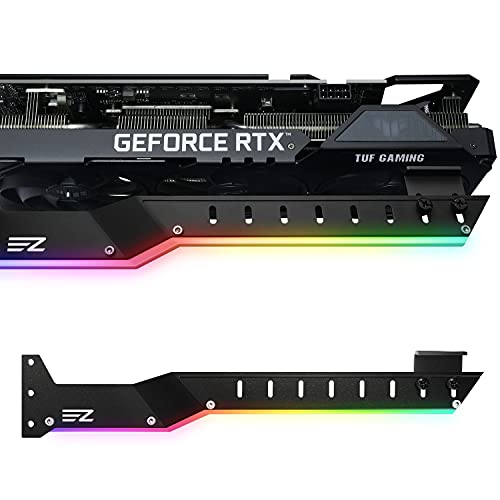
The EZDIY-FAB GPU Holder Brace is an essential accessory for gamers and PC enthusiasts looking to guarantee their high-performance graphics cards remain stable and secure. Designed to support Nvidia RTX 3000 and AMD RX5000/6000 series, this brace fits PC cases with seven or more PCI slots. Its lightweight aluminium alloy construction prevents GPU bending and sagging over time. You’ll appreciate the universal design that easily adjusts for various setups, along with two types of rubber pads for cooling fan spacing. Plus, the integrated 5V 3-pin ARGB lights let you customize your rig’s aesthetic, enhancing both style and stability.
Best For: Gamers and PC enthusiasts seeking enhanced stability and support for high-performance graphics cards.
Pros:
- Sturdy aluminium alloy construction prevents GPU bending and sagging over time.
- Universal design allows for easy adjustment across various graphics cards and PC cases.
- Integrated ARGB lighting adds customizable aesthetic appeal to gaming setups.
Cons:
- Limited to PC cases with 7 or more PCI slots, which may not suit all setups.
- Installation may require additional tools for some users.
- Compatibility limited to specific GPU series, excluding older models.
ARGB GPU Support Bracket with Temperature Display
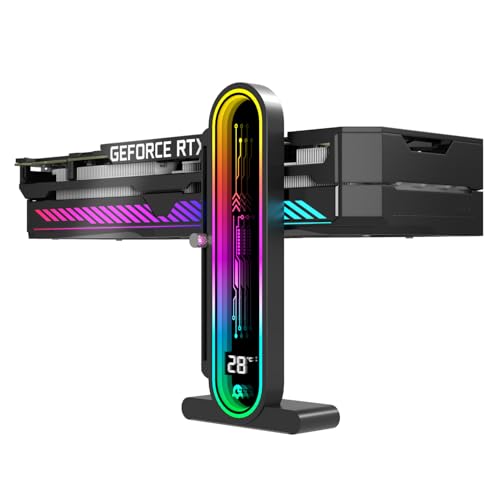
For gamers and PC enthusiasts who prioritize ideal thermal management, the ARGB GPU Support Bracket with Temperature Display is an essential addition to your setup. This DY7-Black model offers integrated temperature monitoring, helping you track internal chassis temperature fluctuations for peak system stability. Its multi-range height adjustment accommodates various chassis and graphics cards, supporting heights from 35mm to 157mm. With a non-slip silicone pad, it guarantees your GPU stays secure, while the dual recessed magnetic base stabilizes its position without scratching your chassis. This bracket combines functionality and protection, enhancing your build’s performance and aesthetics seamlessly.
Best For: Gamers and PC enthusiasts seeking optimal thermal management and GPU stability in their setups.
Pros:
- Integrated temperature monitoring for real-time chassis temperature tracking.
- Adjustable height support (35mm to 157mm) for compatibility with various chassis and graphics cards.
- Non-slip silicone pad and dual magnetic base ensure stability and prevent chassis scratches.
Cons:
- May not be compatible with all GPU models or chassis designs.
- Height adjustment can be limited by the specific design of the GPU or case.
- Additional aesthetic considerations may be needed to match the overall build theme.
ARGB GPU Support Bracket with Temperature Display

Designed for PC enthusiasts who prioritize both aesthetics and functionality, the ARGB GPU Support Bracket with Temperature Display offers a sleek solution for stabilizing your graphics card while monitoring internal chassis temperatures. With its integrated temperature monitoring feature, you can track fluctuations in real-time, optimizing thermal management for system stability. The height adjustment design accommodates various chassis and graphics cards, supporting heights from 35mm to 157mm. Plus, its non-slip protection pad and dual recessed magnetic base guarantee your GPU stays securely in place without scratching your case. Elevate your build’s performance and design effortlessly with this essential component.
Best For: PC enthusiasts seeking a combination of aesthetic appeal and functional stability for their graphics cards.
Pros:
- Integrated temperature monitoring helps maintain optimal thermal management for system stability.
- Multi-range height adjustment design ensures compatibility with various chassis and graphics cards.
- Non-slip protection pad and dual magnetic base provide secure GPU positioning without damaging the case.
Cons:
- Limited to a specific height range (35mm to 157mm), which may not suit all graphics card sizes.
- Magnetic base may not adhere well to all chassis materials.
- Aesthetic features like ARGB may not appeal to all users, especially those preferring a minimalist design.
ARGB GPU Support Bracket with Temp Display

With a built-in 2K clarity digital screen, the ARGB GPU Support Bracket with Temp Display is perfect for gamers and PC enthusiasts who want real-time temperature monitoring of their CPU and GPU. This universal GPU support bracket features multi-angle adjustability and a rust-resistant metal frame, ensuring stability for any graphics card. With 16.8 million RGB color options and multiple modes, it enhances your build’s aesthetics. Auto-sensing technology continuously tracks thermal data, preventing overheating during intense gaming sessions. Installation is straightforward, but remember to confirm compatibility with your case size before purchasing. Enjoy both style and function in your setup!
Best For: Gamers and PC enthusiasts seeking real-time temperature monitoring and stylish RGB aesthetics for their builds.
Pros:
- Real-time temperature monitoring with a 2K clarity digital screen, preventing overheating during intense gaming.
- Customizable RGB lighting with 16.8 million colors and various modes to enhance your PC’s visual appeal.
- Universal compatibility and multi-angle adjustability ensure stability and support for any GPU size.
Cons:
- Requires software installation for temperature monitoring, which may be inconvenient for some users.
- Compatibility limitations with Windows 10 or later may exclude some potential users.
- Installation requires 5 mounting holes, which may not be available in all computer cases.
ASUS ROG Herculx Graphics Card Anti-Sag Holder Bracket
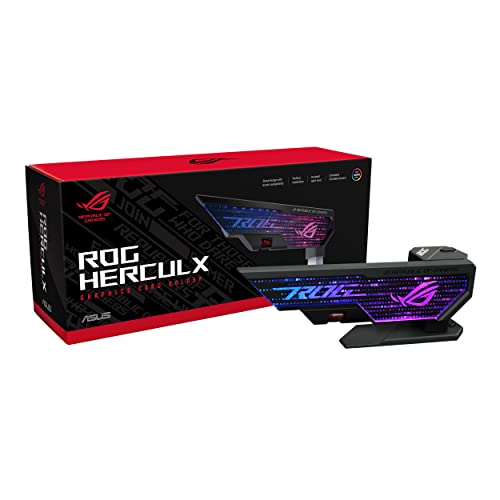
The ASUS ROG Herculx Graphics Card Anti-Sag Holder Bracket is perfect for gamers and PC builders who value both performance and aesthetics. Constructed from solid zinc alloy, it offers durability and stability. You’ll appreciate its compatibility with various chassis, as it doesn’t occupy PCIe slots. With an adjustable height range of 72-128 mm, it adapts easily to your setup. The toolless installation makes setup a breeze, and the included spirit level guarantees perfect alignment. Plus, the embedded 3D ARGB element, compatible with Aura Sync, enhances your rig’s visual appeal, making it a must-have for a sleek build.
Best For: Gamers and PC builders looking for a durable and aesthetically pleasing solution to prevent graphics card sag.
Pros:
- Solid zinc alloy construction ensures durability and stability.
- Toolless installation allows for quick and easy setup without the need for additional tools.
- Embedded 3D ARGB element enhances visual appeal and is compatible with Aura Sync for customizable lighting.
Cons:
- Limited height range of 72-128 mm may not accommodate all graphics card sizes.
- Requires space within the chassis for proper placement, which may be an issue in compact builds.
- RGB compatibility may not integrate with all RGB systems outside of Aura Sync.
ARGB GPU Support Bracket for Graphics Cards
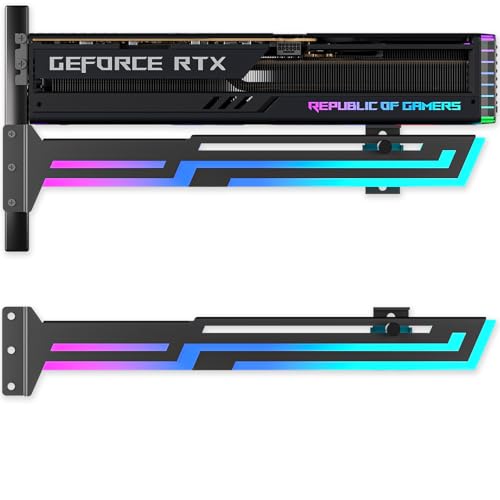
If you’re a gamer or PC builder looking to enhance your rig’s stability and aesthetics, the ARGB GPU Support Bracket is an excellent choice. This universal GPU brace fits all GPUs up to the RTX 4090, providing anti-sag protection with its heavy-duty, rust-resistant metal frame. With 16.8 million RGB colors and multiple lighting modes, it syncs seamlessly with your existing RGB setup. The adjustable design allows for precise fitting, ensuring a sag-free hold in both ATX and ITX cases. Easy installation and a sleek black aesthetic make this bracket a must-have for any stylish and stable build.
Best For: Gamers and PC builders seeking enhanced GPU stability and customizable RGB aesthetics.
Pros:
- Universal Compatibility: Fits all GPUs up to RTX 4090, accommodating a wide range of graphics cards.
- Adjustable Design: Features left/right slide and height adjustment for precise fitting in various case types.
- Rich RGB Features: Offers 16.8 million colors with multiple lighting modes, easily syncing with existing RGB setups.
Cons:
- Weight Limitations: While it supports up to RTX 4090, extremely heavy GPUs may still require additional support.
- Chassis Mount Only: Might not be suitable for users looking for a free-standing support solution.
- Installation Complexity: Some users may find the initial setup and adjustment a bit challenging.
Cooler Master ARGB GPU Support Bracket

For gamers and PC builders seeking to maintain a clean, high-performance setup, the Cooler Master ARGB GPU Support Bracket stands out with its sleek edge-lit ARGB tempered glass design. This universal bracket eliminates graphics card sag by supporting critical weight points, ensuring your GPU remains secure and stable. With a CNC-machined tempered glass construction, it’s durable and stylish. You can easily install it, adjusting the two supports for either the tail-end or side of your GPU. Plus, if you prefer a minimalist look, you can turn off the lighting for an invisible aesthetic that complements any build.
Best For: Gamers and PC builders looking to enhance their setup with a stylish and functional GPU support solution.
Pros:
- Stylish Design: The edge-lit ARGB tempered glass adds a modern aesthetic to any build.
- Durable Construction: CNC-machined glass ensures long-lasting support for even the heaviest graphics cards.
- Easy Installation: Simple to install with adjustable supports for versatile GPU placement.
Cons:
- Limited Color Options: The ARGB lighting may not appeal to those who prefer non-illuminated components.
- Compatibility Constraints: While it’s universal, it may not fit all graphics card and case combinations perfectly.
- Cost Factor: May be considered an additional expense for budget-conscious gamers.
ARGB Universal GPU Support Bracket with Temperature Display

Designed with gamers and PC enthusiasts in mind, the ARGB Universal GPU Support Bracket with Temperature Display guarantees your graphics card remains stable and cool during intense sessions. This universal bracket offers real-time monitoring of your chassis temperature, allowing you to keep an eye on your system’s health. Its adjustable height ranges from 35mm to 157mm, ensuring compatibility with various chassis and graphics cards. The hidden magnet base simplifies installation, while rubber pads prevent scratches on your GPU. With a 4.5-star rating and a sleek design, this bracket is a must-have for any serious build.
Best For: Gamers and PC enthusiasts looking for a reliable and adjustable solution to support their graphics cards while monitoring temperature.
Pros:
- Real-time temperature monitoring helps maintain optimal system performance.
- Adjustable height ensures compatibility with various chassis and graphics cards.
- Easy installation with a hidden magnet base and non-slip rubber pads for added stability.
Cons:
- May not fit all custom or non-standard chassis configurations.
- Some users may find the temperature display less accurate compared to dedicated monitoring software.
- Limited warranty information may concern potential buyers.
Cooler Master Atlas ARGB GPU Support Bracket

The Cooler Master Atlas ARGB GPU Support Bracket is perfect for gamers and PC enthusiasts who want to showcase their high-end graphics cards like the RTX 4090 without the worry of GPU sag. Its dual-axis mode allows for vertical or horizontal installation, giving you flexibility in your build. The infinity mirror design and ARGB lighting strips create stunning visual effects, enhancing your setup’s aesthetics. Constructed from robust aluminum, it provides solid support for larger GPUs. Plus, customizable lighting options let you adjust the intensity, ensuring your build looks exactly how you want it to. Enjoy both stability and style with this exceptional bracket!
Best For: Gamers and PC enthusiasts looking to prevent GPU sag while enhancing their build’s aesthetics with customizable RGB lighting.
Pros:
- Dual-axis mode allows for versatile installation options (vertical or horizontal).
- Sturdy aluminum construction provides reliable support for large graphics cards.
- Customizable ARGB lighting enhances visual appeal and allows personalization.
Cons:
- May be overkill for users with smaller or less powerful GPUs.
- Installation could be complex for beginners without prior experience.
- Premium materials might come at a higher price point compared to basic support brackets.
Factors to Consider When Choosing an Argb Gpu Support Bracket
When you’re choosing an ARGB GPU support bracket, you’ll want to evaluate a few key factors. Think about the build quality and materials, as well as compatibility with your graphics card. Don’t forget to check the height adjustment features and installation ease to make your setup process smoother.
Build Quality and Materials
Choosing a sturdy ARGB GPU support bracket is essential for maintaining the integrity of your graphics card setup. Look for materials like iron or aluminum alloy, as they provide robust support and prevent GPU sagging over time. Heavy-duty, rust-resistant metal frames enhance durability, ensuring the bracket can handle the weight of large graphics cards without bending.
Incorporating shock-absorbing silicone pads offers non-slip protection, guarding against scratches and vibrations that could harm your GPU. Adjustable height and length features allow for compatibility with various GPU sizes and chassis, securing an ideal fit. Additionally, a design that facilitates easy installation and adjustments without tools makes the setup process convenient, saving you time and effort.
Compatibility With Graphics Cards
A sturdy ARGB GPU support bracket not only enhances build quality but also plays an essential role in compatibility with your graphics card. First, make certain the bracket is compatible with your specific model, especially if you own larger GPUs like the Nvidia RTX 3000 or AMD RX5000/6000 series. Check the adjustable height range to guarantee it accommodates your GPU’s thickness and length for peak support without sagging. Look for universal designs that fit various chassis and GPU configurations, making installation easy. It’s critical to verify the bracket can handle your GPU’s weight, particularly for high-performance cards. Finally, confirm that it supports 5V 3-pin ARGB connections for synchronizing lighting effects with your motherboard or other components.
Height Adjustment Features
To guarantee your graphics card is well-supported, consider the height adjustment features of an ARGB GPU support bracket. Look for models that offer multi-range height settings, typically adjustable from 35mm to 157mm, to accommodate various graphics cards and chassis sizes. An easy adjustment mechanism, such as slide-type or multi-angle designs, allows you to customize support based on your GPU’s length and weight. Proper height adjustment is essential for preventing GPU sag, which reduces stress on PCIe slots and enhances system stability. Additionally, some brackets provide dual-axis adjustments for both vertical and horizontal installations, boosting compatibility with different PC cases. Remember, optimizing height can also improve airflow around your GPU, promoting better thermal performance.
Lighting Customization Options
When enhancing your gaming setup with an ARGB GPU support bracket, consider the lighting customization options it offers. Many brackets come with customizable lighting modes, letting you choose from a palette of 16.8 million colors. Look for models that feature multiple RGB lighting modes, like breathing or music sync, to elevate your setup’s aesthetic. Compatibility with popular RGB synchronization technologies such as AURA, RGB Fusion, and Polychrome enables cohesive lighting effects across all your RGB components. Some brackets even include built-in adapters for additional RGB devices, ensuring a unified lighting experience. Plus, the ability to control lighting via motherboard software or external ARGB controllers gives you flexibility in managing your lighting effects to match your mood or gaming theme.
Installation Ease and Instructions
Choosing an ARGB GPU support bracket can be straightforward if you prioritize installation ease and clear instructions. Look for brackets that offer tool-less installation features, so you can set them up without needing extra tools. Adjustable components, like sliding mechanisms or height adjustments, are essential for ensuring compatibility with different GPU sizes and case configurations. Consider models with magnetic bases or non-slip rubber pads to simplify installation and boost stability without damaging your PC case. Make sure the bracket comes with clear installation instructions or guides to streamline the setup process. Finally, check that its design doesn’t obstruct any existing components in your case, ensuring unobstructed installation and ideal airflow.
Temperature Monitoring Capabilities
While you might focus on aesthetics and support when selecting an ARGB GPU support bracket, don’t overlook the importance of temperature monitoring capabilities. These features can provide real-time detection of temperature fluctuations inside your chassis, which is vital for effective thermal management. Some models even come with integrated temperature displays, giving you clear insights into GPU and CPU temperatures, ensuring system performance and stability. Advanced systems utilize auto-sensing technology to continuously track thermal data, helping to prevent overheating during intense tasks like gaming or overclocking. Additionally, temperature monitoring can assist you in optimizing airflow and cooling strategies, ultimately extending your components’ lifespan. Compatibility with software for temperature alerts enhances your overall user experience, allowing for personalized performance monitoring.
Aesthetic Design Elements
Aesthetics play an essential role in enhancing your gaming setup, and ARGB GPU support brackets offer a range of design elements that can elevate your build’s visual appeal. With customizable RGB lighting, you can choose from millions of colors and various modes to match your style. Many brackets utilize durable materials like tempered glass and aluminum, contributing to a sleek and modern look. Features like infinity mirrors and edge-lit designs create engaging visual effects, adding depth to your setup. Plus, compatibility with motherboard RGB synchronization allows for a cohesive lighting experience across all components. Some brackets even incorporate unique shapes or adjustable orientations, enabling you to tailor their appearance to fit your specific PC theme perfectly.
Warranty and Support Options
When selecting an ARGB GPU support bracket, considering warranty and support options can make a significant difference in your overall satisfaction. Look for a product that offers at least a 12-month worry-free warranty, which covers common issues like manufacturing defects. Some brands even provide extended warranty options, enhancing the value of your purchase. Customer support can vary, so choose a manufacturer known for friendly assistance and readily available resources for troubleshooting. Researching customer reviews will give you insights into the reliability and responsiveness of their support services. By prioritizing these factors, you’ll guarantee peace of mind and a smoother experience with your GPU support bracket, ultimately contributing to a stable and sleek build.