Shopping for a gamer on a budget? These 15 Christmas tech gift ideas under $25 bring useful upgrades to gaming desks, travel kits, and everyday play.
Choose something that fits how they game: a compact keyboard, a controller accessory, or a handy addition to a laptop setup.
15 Christmas Tech Gift Ideas Under $25 to Consider in 2026
Compact Desk Upgrade
MageGee 60% Mechanical Gaming Keyboard

- 68-key layout keeps the keyboard footprint compact while retaining separate arrow and F1–F12 keys.
- Linear red switches and blue LED backlighting suit a gaming or work desk.
- Wired USB connection works with Windows, Linux, and Mac systems.
Best For: A PC gamer who wants a compact keyboard for a dedicated desk setup.
Wireless Aim Control
Redragon M810 PRO Wireless Gaming Mouse

- 2.4GHz wireless connection supports cable-free movement at the desk.
- Eight programmable buttons and five onboard DPI levels offer setup options.
- Rechargeable battery is listed for up to 45 hours in eco mode.
Best For: A PC gamer looking for a wireless mouse with programmable buttons.
Portable Power

- 10,000mAh capacity and 45W charging support make it a portable power option.
- Includes two USB-C ports, one USB-A port, and a detachable USB-C cable.
- Designed for charging compatible phones, tablets, and handheld devices on the go.
Best For: A gamer who uses a compatible phone or handheld device away from an outlet.
Foldable Laptop Stand
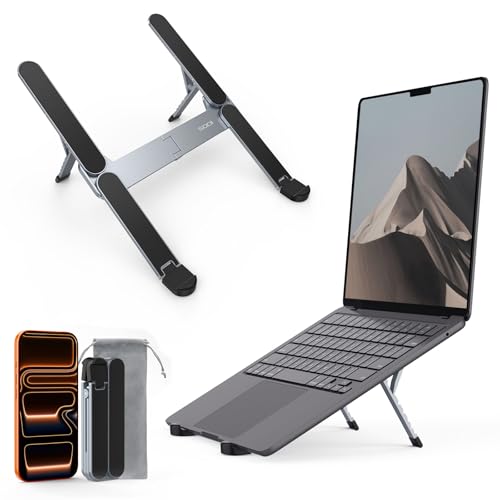
- Folds to a compact size for carrying in a backpack or pocket.
- Offers six height settings and is listed for 10–16-inch devices.
- Includes a storage bag and user manual.
Best For: A laptop user who wants a portable stand for a desk, library, or café.
Extra Mouse Room

- 31.5-by-15.7-inch surface provides room for a keyboard and mouse.
- Non-slip rubber base and stitched edges are part of the design.
- Water-resistant surface can be wiped with a damp cloth.
Best For: A PC gamer who wants more shared space for a keyboard and mouse.
More Laptop Ports

- Combines one HDMI port, one USB-C charging port, and three USB ports.
- HDMI supports resolutions up to 4K at 30Hz when the host device supports video output.
- USB-A 3.2 port supports data transfer up to 10Gbps.
Best For: A laptop gamer whose USB-C device supports video output and needs more connections.
Colorful Controller Detail

- Set includes 24 silicone caps in 12 color pairs.
- Made for PS5, PS4, and Xbox controller thumbsticks.
- Caps stretch over existing sticks and can be mixed or swapped by color.
Best For: A console gamer who wants colorful caps for compatible controller sticks.
Pixel-Art Desk Style

- 31.5-by-11.8-inch mat features a brown and green forest pixel design.
- Stitched edges and a non-slip rubber base are listed features.
- Cloth surface is washable according to the product details.
Best For: A gamer who wants a themed mat to personalize a desk.
Voice Chat Upgrade

- USB plug-and-play microphone has an adjustable gooseneck.
- Volume knob and mute button with an LED indicator are built in.
- Listed for computer uses including voice chat, meetings, and recording.
Best For: A gamer who chats or streams from a Windows or Mac computer.
Monitor-Mounted Lighting

- 15.7-inch LED bar mounts on a monitor with a counterweight clip.
- Offers three color temperatures and stepless brightness adjustment.
- Powered by USB and includes a USB power cable.
Best For: A student or gamer who wants adjustable lighting at a monitor desk.
Controller Travel Case
GEEKRIA Hard-Shell Controller Case
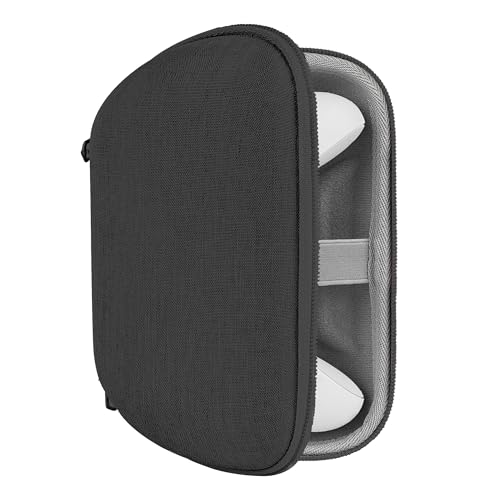
- Hard-shell case is listed as compatible with Xbox One and Xbox Series X/S controllers.
- Interior mesh pocket can hold a charging cable.
- Includes a hand strap for carrying.
Best For: A console gamer who takes a compatible controller on trips or visits.
Laptop-To-Display Link

- Connects a compatible laptop’s USB-C port to an HDMI display.
- Supports video up to 4K resolution at 60Hz.
- Requires USB-C DisplayPort Alt Mode, USB4, or Thunderbolt; does not support charging.
Best For: A laptop gamer whose USB-C device supports video output and who wants to connect to a display.
Wired Gaming Audio
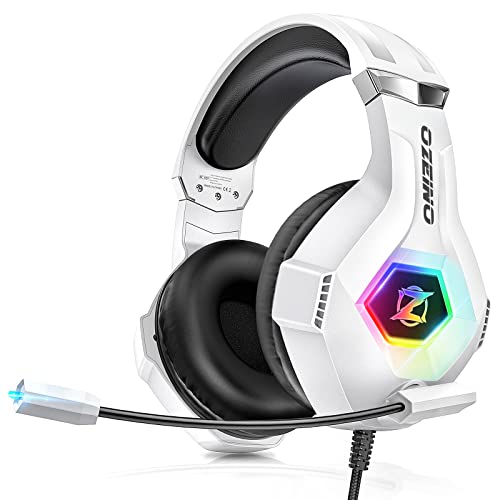
- Over-ear headset includes a microphone and 3.5mm connection.
- Listed as compatible with PC, PlayStation, Xbox, Switch, laptops, and phones with a 3.5mm jack.
- USB connector powers the LED lighting; PC use requires the included audio splitter cable.
Best For: A PC or console gamer who uses a compatible 3.5mm audio connection for online play.
Right-Angle Charging Cable

- USB-C to USB-C cable measures 10 feet and has a right-angle connector.
- Supports charging up to 240W with compatible USB-C power adapters and devices.
- USB 2.0 cable supports data transfer up to 480Mbps; it does not carry 4K video.
Best For: A gamer with compatible USB-C devices who wants extra reach while charging.
Charging Status Display
UGREEN Uno 10-Foot USB-C Cable

- USB-C to USB-C cable measures 10 feet and has an LED charging status display.
- Supports up to 100W charging with a compatible USB-C power adapter.
- Nylon-braided cable supports data transfer up to 480Mbps.
Best For: A gamer who charges compatible USB-C devices and likes a visible status indicator.
Christmas Tech Gift Ideas Under $25: How to Choose
Christmas tech gift ideas under $25 can be both practical and personal when they match the recipient’s gaming habits. Start by thinking about where they play and what devices they use. A PC gamer may appreciate an addition to a desk setup, while someone who plays on a console may find a controller accessory or carrying solution more useful. For a gamer who travels, compact items that work alongside a laptop or handheld device can be especially convenient.
Compatibility matters with electronics and accessories. Check the recipient’s platform and available connections before choosing. A USB-C hub, HDMI adapter, headset, or charging cable depends on the device having a suitable port or audio connection. Some products have specific limitations: for instance, an HDMI adapter requires USB-C video output on the host device, and a cable designed for USB-C to USB-C will not connect to devices with other port types. If you are unsure, a desk mat or other broadly useful workspace accessory may be a simpler fit.
Choose a Gift That Fits Their Setup
Think about what would improve the recipient’s regular routine. A keyboard or mouse is a more personal choice because layout, button arrangement, and playing preferences vary. Desk accessories, such as an extended mouse pad or a monitor light bar, can be easier to match when you know the approximate desk or monitor setup. A foldable laptop stand suits someone who works or plays from different locations, while a controller case is worth considering for a console player who carries gear between home and friends’ homes.
Small accessories can add a playful touch without replacing core equipment. Colorful thumbstick caps, a patterned desk mat, or a cable with a visible charging indicator offer a bit of personality. For gifts that connect to a console, computer, or phone, confirm the specific compatibility details before purchasing. That quick check helps avoid a present that looks useful but does not fit the recipient’s setup.
Budget Considerations for Christmas Tech Gifts
With a strict under-$25 limit, compare the complete gift price before making a choice. The listed prices for the 15 options in this guide are below $25, but online prices can change, so check the current total when you shop. Remember to account for any applicable shipping or tax in your own budget. Accessories can be useful at this price point, especially when the recipient already owns the main device they need.
Consider the value of the item in everyday use rather than focusing only on a long feature list. A cable that reaches an outlet, a case that stores a controller, or a desk mat that accommodates a keyboard and mouse may see frequent use. If you are choosing between an accessory and a more specialized device, favor the one that fits an established habit and does not require extra equipment the recipient may not have.
Personalization Tips for Gamer Gifts
Personalization starts with paying attention. Notice whether the person favors PC or console gaming, uses a laptop, streams or chats with friends, or keeps a tidy travel setup. Their color preferences can also guide choices such as a patterned mat or multicolor controller caps. When you can, check the equipment they already use, including controller type, connector, and monitor shape. These small details help a modest gift feel considered.
You can make a practical accessory feel more thoughtful by pairing it with a short note about why it suits their setup. For example, mention that a compact item could be handy for travel or that a desk accessory complements their gaming corner. Keep the focus on the recipient’s routine, rather than promising performance or comfort outcomes that depend on individual use.
Last-Minute Buying Advice
For a last-minute Christmas purchase, prioritize clear compatibility and straightforward use. Read the current product listing for the exact model, included items, and any adapter requirements. Pay attention to whether a connector supports charging, data, video, or only one of those functions. If delivery timing matters, confirm the seller’s current estimate at checkout instead of relying on assumptions.
When you cannot verify a highly specific fit, choose an item with a wider everyday use case, such as a desk accessory or a portable stand. Keep the receipt and review the retailer’s return terms in case the recipient already owns the item or their setup differs from what you expected. A little care at checkout can help your under-$25 Christmas tech gift feel useful from the first day.