Quiet laptops are ideal when you want a calm workspace without sacrificing everyday performance. Whether you’re in class, on calls, or working late, lower noise can make a big difference.
This roundup focuses on models that aim for efficient processing, good thermals, and practical battery life, so you can choose a laptop that stays comfortable to use in real-world settings.
Best 10 Quiet Laptops Picks for 2026
Quiet Workhorse
ASUS Vivobook 14 i7 Thin-and-Light
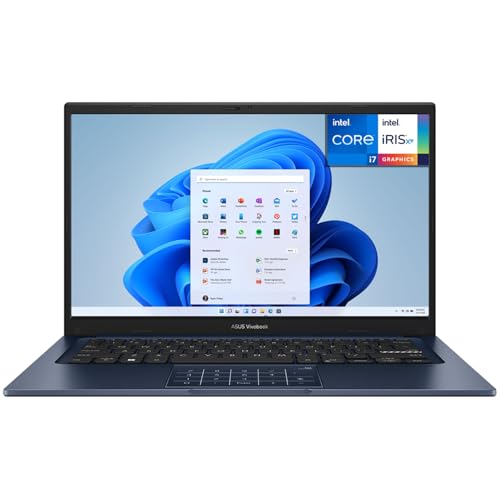
- 13th Gen Core i7-1355U for everyday productivity
- 14-inch FHD anti-glare display
- Light 1.4 kg build with 512GB SSD
Best For: Office users and commuters who want a quiet, portable Windows laptop
Silent Student Pick

- Fanless design for total silence
- 15.6-inch FHD IPS display
- Lightweight 1.45 kg with Type-C PD charging
Best For: Students, library use, and budget buyers who want completely silent operation
Modern Quiet Option
ASUS Vivobook 14 Snapdragon X Copilot+ PC
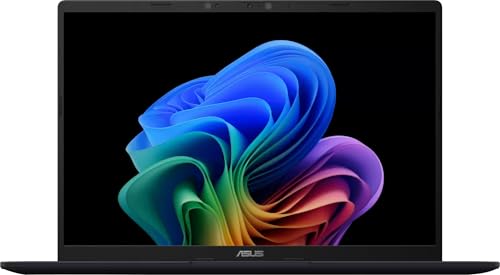
- Snapdragon X platform for efficient computing
- 16GB RAM with 512GB SSD
- Up to 29 hours of battery life
Best For: Users who want a lightweight, efficient Copilot+ PC for work, study, and everyday use
Budget Basic
Lenovo IdeaPad Windows 11 Bundle

- Windows 11 with included keyboard and mouse
- Wi-Fi 6 and Bluetooth connectivity
- Modest Intel N4500-class everyday performance
Best For: Buyers who want a simple, low-cost Windows machine for everyday basics and bundled accessories
Quiet Everyday Pick
ASUS Vivobook 14" FHD Intel i5

- 13th Gen Core i5-1334U
- 12GB RAM with 256GB SSD
- 14-inch 1080p slim design
Best For: Students and home-office users needing a quiet daily laptop
Ultra-Quiet Budget Workhorse

- Efficient Intel N100 processor
- 16GB RAM with 512GB SSD
- Up to 11-hour battery life
Best For: Budget buyers wanting a quiet laptop for basic work
Quiet Lightweight Runner-Up

- Core 5 120U processor
- 14-inch FHD anti-glare display
- 2.14 kg portable design
Best For: Light productivity users who want a portable quiet laptop
Quiet Business Pick
Lenovo ThinkBook 16 for long battery and large-screen work

- 16-inch anti-glare IPS display
- 14.5-hour battery life
- Windows 11 Pro with strong connectivity
Best For: Students and professionals needing a roomy, low-distraction work laptop
Quiet Family Choice
ASUS Vivobook 17 with a big easy-to-use display

- Large 17.3-inch FHD screen
- ErgoSense keyboard with numeric keys
- Fast charging and webcam cover
Best For: Home users and students who want a big-screen everyday laptop
Quiet Travel Favorite
ASUS Vivobook 14 with cool-running everyday performance

- 14-inch FHD compact design
- IceCool thermal tech and AI noise canceling
- Fast charging with Wi-Fi 6E
Best For: Commuters and students needing a compact, cooler-running daily laptop
Quiet Workhorse – ASUS Vivobook 14 i7 Thin-and-Light
If you want quiet laptops for everyday productivity, the ASUS Vivobook 14 is a strong fit thanks to its efficient 13th Gen Intel Core i7-1355U, integrated graphics, and lightweight 1.4 kg build. It is aimed at business use, with a 14-inch FHD anti-glare display and enough memory and storage for typical office work, browsing, and multitasking.
Best For: Office users and commuters who want a quiet, portable Windows laptop with solid mainstream performance.
Pros:
- 13th Gen Intel Core i7-1355U offers plenty of power for multitasking and daily work.
- 14-inch FHD anti-glare screen is practical for long sessions and bright rooms.
- 1.4 kg design makes it easy to carry to class, work, or meetings.
- 512GB SSD gives fast startup and responsive file access.
Cons:
- Integrated Intel UHD Graphics are not meant for demanding creative or gaming workloads.
- Wi-Fi 5 is older than current Wi-Fi 6 options.
- 12GB RAM is usable, but not as spacious as higher-memory laptops.
This Vivobook is a sensible choice if you value a quieter, low-fuss machine for business and general productivity. It does not advertise fanless operation, but its efficient U-series processor and slim clamshell design make it a practical everyday laptop.
Silent Student Pick – Fanless 15.6" FHD Notebook
Among quiet laptops, this 15.6-inch Unowo stands out because it uses a fanless cooling system, so it runs in total silence. It pairs that quiet design with a Full HD IPS display, light weight, and basic Windows 11 functionality for browsing, schoolwork, streaming, and other everyday tasks.
Best For: Students, library use, and budget buyers who want completely silent operation.
Pros:
- Fanless cooling means true silent operation.
- 15.6-inch FHD IPS display offers wide viewing angles and crisp detail.
- Type-C PD 45W charging adds convenient modern power support.
- Lightweight 1.45 kg design is easy to carry.
Cons:
- Intel Celeron N4020 and 4GB RAM are best for light workloads only.
- 128GB storage is limited for large media libraries or many apps.
- Integrated graphics keep it focused on basics rather than performance tasks.
If silent operation is your top priority, this laptop is the most direct match in the group. Its specs are modest, but the fanless design makes it especially attractive for quiet environments like classrooms, dorms, and libraries.
Modern Quiet Option – ASUS Vivobook 14 Snapdragon X Copilot+ PC
If you are shopping for quiet laptops with modern efficiency, this ASUS Vivobook 14 is appealing because it uses the Snapdragon X platform instead of a traditional Intel or AMD chip. It combines a 14-inch FHD+ display, 16GB RAM, and a 512GB SSD with a lightweight design and long battery life, making it well suited to productivity, web browsing, and travel.
Best For: Users who want a lightweight, efficient Copilot+ PC for work, study, and everyday use.
Pros:
- Snapdragon X processor is built for efficient everyday computing.
- 16GB RAM and 512GB SSD support smooth multitasking and fast loading.
- 14-inch FHD+ 1920 x 1200 display gives extra vertical space for documents.
- Up to 29 hours of battery life is excellent for travel and long days.
Cons:
- Specific fan noise or fanless operation is not stated in the notes.
- At 5 pounds in the supplied details, it may not be as light as expected from a compact 14-inch model.
- Its Copilot+ features are most useful for buyers who want that AI-focused Windows experience.
This model is best viewed as a modern efficiency pick rather than a guaranteed silent machine. Still, its Snapdragon-based design and strong battery life make it a smart option for buyers who want a quiet-leaning, low-maintenance laptop for everyday productivity.
Budget Basic – Lenovo IdeaPad Windows 11 Bundle
This Lenovo IdeaPad is a basic option in the quiet laptops conversation because it is designed around everyday use rather than high-powered performance. The supplied details focus on Windows 11, Wi-Fi 6, Bluetooth, included accessories, and a practical Intel N4500-class platform, which makes it a straightforward pick for simple home or office tasks.
Best For: Buyers who want a simple, low-cost Windows machine for everyday basics and bundled accessories.
Pros:
- Windows 11 and included mouse/keyboard make setup straightforward.
- Wi-Fi 6 and Bluetooth support modern wireless connectivity.
- Expandable storage and memory references suggest room for future upgrades.
- Business-oriented security features include a hardware TPM chip.
Cons:
- The supplied specs describe a tower-style form factor, not a traditional portable laptop.
- 1280×720 maximum display resolution is low compared with the others here.
- Intel N4500 and 8GB RAM are modest for heavier multitasking.
Because the product details are inconsistent about its exact design, this is less of a premium quiet-laptop recommendation and more of a basic Windows bundle. It suits buyers who want simple day-to-day functionality over advanced portability or performance.
Quiet Everyday Pick – ASUS Vivobook 14" FHD Intel i5
If you want one of the quieter laptops for everyday work and study, this ASUS Vivobook 14 pairs a 13th Gen Core i5-1334U with a 14-inch FHD display and a slim 12GB/256GB build. It is a practical fit for browsing, documents, video calls, and general multitasking without paying for more machine than you need.
Best For: Students and home-office users who want a compact, business-friendly laptop in a light everyday setup.
Pros:
- 13th Gen Intel Core i5-1334U gives you solid everyday responsiveness.
- 14-inch 1080p display keeps the footprint manageable for travel or desk use.
- 12GB RAM is a nice step up for multitasking compared with entry-level systems.
- Quiet Blue finish and slim design make it a low-key carry option.
Cons:
- 256GB SSD is modest if you store lots of files locally.
- Integrated graphics are fine for basics, but not for demanding creative work.
- Renewed condition may not appeal if you only want brand-new hardware.
Overall, this is a balanced choice if your priority is a quiet laptop for routine productivity rather than heavy-duty performance. It is best viewed as a sensible, portable daily driver.
Ultra-Quiet Budget Workhorse – HP 15.6" N100 16GB/512GB
For buyers comparing quiet laptops on a budget, this HP 15.6-inch model focuses on low-noise everyday computing and long battery life rather than raw speed. The Intel N100, 16GB RAM, and 512GB SSD combination makes it a comfortable pick for web work, documents, streaming, and light office use.
Best For: Budget-conscious students and business users who want a quiet, practical laptop with strong battery life.
Pros:
- Intel N100 platform is a modest, efficient chip for basic productivity.
- 16GB RAM and 512GB SSD give it more room than many entry-level laptops.
- 11-hour battery life is a strong plus for all-day use.
- Anti-glare 15.6-inch display is easier on the eyes for work sessions.
Cons:
- 1366 x 768 native resolution is lower than full HD.
- 5-pound weight makes it less travel-friendly than slimmer 14-inch laptops.
- Best suited to basic tasks, not demanding workloads.
This HP is a straightforward choice if silence, battery life, and value matter more than display sharpness or performance headroom. It should suit everyday users who want a practical laptop that stays out of the way.
Quiet Lightweight Runner-Up – ASUS Vivobook 14 Core 5
If you want quiet laptops with a cleaner balance of portability and speed, this ASUS Vivobook 14 is an appealing middle ground. It combines an Intel Core 5 120U, 8GB RAM, and a 256GB PCIe NVMe SSD in a 2.14 kg body, making it a reasonable choice for school, office tasks, and everyday carry.
Best For: Users who want a light 14-inch laptop for general productivity and easy portability.
Pros:
- Core 5 120U processor offers stronger headroom than very basic entry chips.
- 14-inch FHD anti-glare display is practical for long work sessions.
- Wi-Fi 6 and Bluetooth add modern connectivity for daily use.
- 2.14 kg weight keeps it relatively easy to move around.
Cons:
- 8GB RAM is fine for basics, but not ideal for heavier multitasking.
- 256GB storage can fill up quickly if you keep many files locally.
- Windows 11 Home in S Mode may require switching out for broader app flexibility.
In the quiet-laptop category, this model stands out as a sensible lightweight option rather than a powerhouse. It is best for users who value a calm, compact machine for everyday productivity.
Quiet Business Pick – Lenovo ThinkBook 16 for long battery and large-screen work
If you want quiet laptops for productivity, this Lenovo is built around a low-distraction business setup: a large 16-inch WUXGA anti-glare screen, Windows 11 Pro, and a design focused on everyday office use. It also adds a strong port mix and long battery life, making it a practical choice for people who want to work comfortably without constant fan or charging interruptions.
Best For: Students and professionals who want a roomy display, all-day battery life, and a business-friendly feature set.
Pros:
- 16-inch IPS anti-glare display with 300 nits and TÜV Rheinland Low Blue Light certification
- 14.5-hour battery life for longer unplugged work sessions
- Wi-Fi 6, Thunderbolt 4, HDMI 2.1, Ethernet, and SD card reader for flexible connectivity
- Windows 11 Pro plus MIL-STD-810H durability for business use
Cons:
- Non-backlit keyboard may be less convenient in dim rooms
- Integrated graphics are fine for everyday tasks, not heavy creative workloads
This Lenovo stands out if your priority is a calm, dependable work machine with practical business extras rather than flashy specs. It looks especially appealing for users who value screen comfort, battery endurance, and a straightforward setup.
Quiet Family Choice – ASUS Vivobook 17 with a big easy-to-use display
For shoppers comparing quiet laptops, this ASUS Vivobook 17 keeps things simple with a large 17.3-inch display, modest Core 3 100U performance, and user-friendly touches that suit everyday home use. Its focus is on comfortable viewing, easy typing, and practical convenience rather than high-output performance.
Best For: Home users and students who want a big screen, simple performance, and everyday comfort.
Pros:
- 17.3-inch FHD NanoEdge display with wide viewing angles
- ErgoSense keyboard with numeric keys for easier typing and data entry
- Fast charging can reach 60% in about 49 minutes
- Webcam cover, Wi-Fi 6, and multiple USB/HDMI ports for convenient daily use
Cons:
- 8GB RAM is modest for heavier multitasking
- Windows 11 Home is less feature-rich than Pro for business users
This Vivobook 17 makes sense if you want a larger, calmer-feeling laptop for browsing, schoolwork, streaming, and basic productivity. It is less about raw power and more about an easygoing, practical experience.
Quiet Travel Favorite – ASUS Vivobook 14 with cool-running everyday performance
If you are shopping quiet laptops for portable everyday use, this ASUS Vivobook 14 is a compact option with a 14-inch FHD display, Intel Core i5-1235U, and ASUS IceCool thermal technology. It is designed for smooth general performance, comfortable typing, and noise-conscious video calls rather than demanding workloads.
Best For: Commuters, students, and home-office users who want a compact laptop with cooler-running everyday performance.
Pros:
- ASUS IceCool thermal technology helps keep the laptop cool
- AI Noise-Canceling Technology supports clearer video calls
- Fast charging reaches 50% in about 30 minutes
- Thin 14-inch FHD design with Wi-Fi 6E and Bluetooth 5
Cons:
- 8GB RAM and 256GB SSD are modest for bigger workloads
- Basic speakers are only intended for general audio output
This Vivobook 14 is a solid pick when you want a smaller laptop that stays practical and comfortable day to day. It is especially appealing if cooling, call quality, and quick top-ups matter more than premium specs.
How We Picked These Quiet Laptops
We looked for laptops built around efficient processors, balanced RAM and storage, and designs that are better suited to light-to-moderate workloads. For Quiet Laptops, the goal is not silence at all times, but reduced fan ramp-up during browsing, office apps, streaming, and study tasks. We also considered display size, portability, and battery-focused hardware that can help keep heat and noise down.
Quick Comparison
In general, the most efficient U-series, N-series, and Snapdragon-based models in this list are the best bets for lower noise during everyday use. Larger 15.6-inch and 17.3-inch systems can still be comfortable, but they may run warmer under sustained workloads. If you want the quietest feel for basic productivity, prioritize efficient chips, SSD storage, and at least 8GB of RAM.
Key Buying Factors for Quiet Laptops
Processor Efficiency
Efficient CPUs usually matter more than raw peak speed. Look for chips designed for thin-and-light systems, since they tend to generate less heat during normal use. That often means less fan noise in daily tasks.
Memory and Storage
At least 8GB of RAM is the practical floor for smooth multitasking, while 12GB or 16GB is better if you keep many tabs open. SSD storage helps the system feel responsive and avoids the extra noise associated with older hard drives.
Screen Size and Cooling
Smaller laptops can be easier to cool, while larger screens may offer more room for heat management. Still, the chassis design matters as much as size. A well-tuned 14-inch model can be quieter than a bigger laptop if the internals are efficient.
Battery Life and Everyday Workloads
Long battery life often goes hand in hand with lower power draw and less heat. For Quiet Laptops, that usually means better results for office work, video calls, and web use than for heavy gaming or creative rendering.
Who Should Buy Which Quiet Laptops?
Choose an efficient 14-inch model if you want the best all-around balance of portability and low-noise operation. Pick a 15.6-inch option if you prefer a larger display for school or home office work. Go with a more capable configuration if you multitask heavily, and choose a budget-friendly system only if your needs are limited to basic browsing, email, and documents. The right quiet laptop is the one that matches your workload closely, so you get a calm, reliable experience without paying for performance you won’t use.