Choosing the right pad can make a big difference if you play on low sensitivity and need consistent, reliable tracking. The best surface balances speed, stopping power, and comfort without fighting your aim.
Below, we focus on options that suit different games, mouse feet, and preferences so you can pick a gaming mouse pad for low sensitivity with confidence in 2026.
Best 10 Gaming Mouse Pad for Low Sensitivity Picks for 2026
Legendary Control Pad
SteelSeries QcK Large Gaming Mousepad

- Micro-woven cloth surface for precision
- Non-slip rubber base adds stability
- Large 490 x 420 mm area suits low-sense play
Best For: Players who want a trusted large cloth pad for controlled aiming
Low-DPI Precision Pick
Logitech G240 Cloth Gaming Mouse Pad
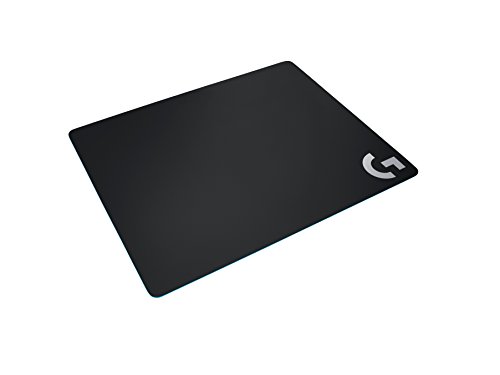
- Moderate friction helps low-DPI control
- Consistent texture supports aiming precision
- Rubber base and soft cloth improve stability
Best For: Low-DPI gamers who want control and comfort in a compact pad
Portable Smooth Glide
Razer Goliathus Speed Gaming Mousepad

- Ultra-slim 1.5 mm design travels easily
- Micro-texture surface supports accurate tracking
- Anti-slip base and stitched edges add durability
Best For: Mobile or compact setups needing a smooth, portable pad
High-Precision Speed Pad
X-Raypad Aqua Control 2 Gaming Mouse Pad
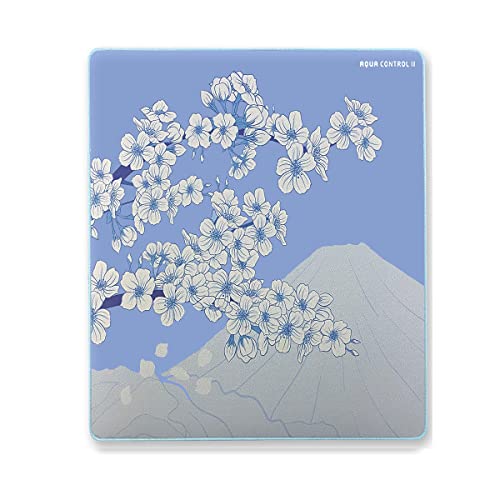
- Ultra-high precision focus for FPS play
- Consistent X/Y glide supports low-DPI control
- Waterproof surface and soft stitched edges
Best For: FPS players and low-DPI users who want precise, consistent glide
Hard-Tracking Speed Pad
Logitech G440 Hard Gaming Mouse Pad

- Hard, low-friction surface for fast movement
- Consistent texture supports sensor accuracy
- Rigid no-slip base stays planted
Best For: Low-DPI players who want quick glide and firm control
Control Glide Mat
Pulsar Jupiter Pro Soft Gaming Mouse Pad

- Control-oriented surface with deliberate glide
- Stable stopping power for precise aiming
- Soft fabric feel for comfortable long sessions
Best For: Precision-minded low-sensitivity gamers who want control over speed
Balanced Desk Mat

- Micro weave surface blends smooth glide and precision
- Grippy rubber base keeps it firmly in place
- Spill-resistant design adds everyday durability
Best For: Low-sensitivity gamers who want a balanced pad with room to move
Control Specialist

- Slow glide with deliberate control.
- Supports precise micro-adjustments.
- Comfortable surface for long sessions.
Best For: Low-sensitivity players who want maximum control and predictable stopping power.
Speed Tracker

- Low-friction surface for faster glides.
- Micro-textured tracking for optical sensors.
- Warp-resistant and travel-friendly design.
Best For: Low-sensitivity players who want a fast pad with consistent tracking.
Fast Sweep Pad
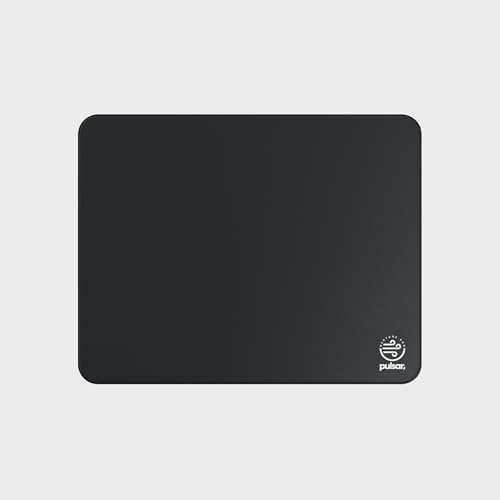
- Ultra-fast glide with very low friction.
- Subtle texture keeps a bit of control.
- Great for wide sweeps and re-centering.
Best For: Low-sensitivity players who want speed, large motions, and fluid tracking.
Legendary Control Pad – SteelSeries QcK Large Gaming Mousepad
If you want a gaming mouse pad for low sensitivity, the SteelSeries QcK Large is built around smooth, dependable tracking and a stable base. Its micro-woven cloth surface is tuned for precision, making it a solid pick for players who need controlled arm movements and consistent sensor response.
Best For: FPS, MOBA, RTS, and MMO players who want a trusted cloth pad with steady glide and a non-slip base.
Pros:
- Micro-woven cloth surface is designed for mouse precision and performance
- High thread count and smooth surface help optimize tracking for optical and laser sensors
- Non-slip rubber base helps keep the pad from shifting during play
- Large 490 mm x 420 mm size gives you plenty of room for low-sensitivity movement
Cons:
- 2 mm thickness may feel slim if you prefer a cushier pad
- Large size may take up substantial desk space
This is a straightforward, pro-trusted cloth mousepad focused on accuracy and stability rather than flashy extras. For low-sense gaming, it delivers the kind of consistent glide and room to move that matters most.
Low-DPI Precision Pick – Logitech G240 Cloth Gaming Mouse Pad
The Logitech G240 is a practical gaming mouse pad for low sensitivity if you want moderate friction and consistent tracking. Its cloth surface is meant to improve control during sudden starts and stops, while the rubber base keeps it planted through intense sessions.
Best For: Low-DPI players who want better mouse control and a compact cloth surface tuned for Logitech G sensor performance.
Pros:
- Moderate surface friction helps with control at low DPI
- Consistent surface texture supports tracking performance and aiming precision
- Matched to Logitech G sensors for accuracy and performance
- Soft cloth surface adds wrist comfort, and the rubber base improves stability
Cons:
- Smaller 13.4 x 11 inch size may feel limited for very wide arm sweeps
- Focuses on control over speed, so it may not suit every play style
This pad makes sense if you value predictable movement and a stable feel in a smaller footprint. It is a clean, no-frills choice for low-DPI aiming.
Portable Smooth Glide – Razer Goliathus Speed Gaming Mousepad
The Razer Goliathus Speed is a compact gaming mouse pad that leans into smooth, accurate movement with an ultra-slim build. For low-sensitivity gaming, it offers a surface engineered to translate small mouse motions cleanly, and its portable size makes it easy to pack or slide under a laptop setup.
Best For: Players who want a slim, portable mouse mat with a smooth surface and accurate tracking for small movements.
Pros:
- Super fine micro-textures are designed to work with all mice
- Ultra-slim 1.5 mm thickness makes it highly portable
- Anti-slip rubber base helps keep the mat in place
- Anti-fraying stitched frame adds durability for travel and daily use
Cons:
- Small size limits space for broad low-sensitivity sweeps
- Speed-oriented surface may not appeal to players who want more friction
This is a good choice if you prioritize portability and a smooth glide over maximum desk coverage. It is especially appealing for mobile setups and compact gaming spaces.
High-Precision Speed Pad – X-Raypad Aqua Control 2 Gaming Mouse Pad
The X-Raypad Aqua Control 2 is aimed at players who need a gaming mouse pad for low sensitivity with high precision and consistent glide. Its textured surface is designed to support stable X/Y control, while the large-format build and waterproof design make it a strong option for serious FPS use.
Best For: FPS players and low-DPI users who want a precision-focused pad with a consistent glide and roomy layout.
Pros:
- Designed for ultra-high precision with strong tracking consistency
- Consistent X and Y glide supports controlled aiming
- Textured surface helps reduce slide resistance and works well with sweaty hands
- Waterproof build and soft edge stitching add everyday practicality
Cons:
- 4 mm thickness may feel thicker than some minimalist pads
- Performance-oriented surface may feel less cushioned than softer cloth pads
Overall, this pad is built for precision-first players who want stable glide and detailed control. It stands out if you care more about accurate tracking than a plush feel.
Hard-Tracking Speed Pad – Logitech G440 Hard Gaming Mouse Pad
If you want a gaming mouse pad for low sensitivity that favors fast starts and stops, the Logitech G440 is built around a hard, low-friction surface. It’s aimed at players who want consistent sensor tracking and a stable base for quick arm movements and sharp flicks.
Best For: Low-DPI players who prefer a rigid pad with quick glide and reliable control.
Pros:
- Low surface friction supports sudden starts, stops, and rapid movement.
- Consistent hard texture is designed for strong sensor accuracy and precision.
- Rigid, no-slip base helps keep the pad in place during intense play.
- Durable multi-layer construction is made to last.
Cons:
- Hard surface may feel less cushioned than a soft cloth pad.
- Smaller medium size may not suit players who want extra desk coverage.
Overall, the G440 makes sense if you value speed, repeatable tracking, and a firm feel over plush comfort. It’s a straightforward choice for low-sensitivity gaming where controlled, fast mouse movement matters most.
Control Glide Mat – Pulsar Jupiter Pro Soft Gaming Mouse Pad
For anyone shopping for a gaming mouse pad for low sensitivity, the Pulsar Jupiter Pro leans into control rather than speed. Its soft, control-oriented surface provides deliberate glide and steady resistance, which can help with small corrections and predictable aiming.
Best For: Precision-focused low-sensitivity players who want stable tracking and extra stopping power.
Pros:
- Control-oriented surface offers steady, deliberate glide.
- Stable aim feel adds gentle resistance and predictable stopping power.
- Well-suited for micro-adjustments and fine crosshair placement.
- Soft, comfortable texture is designed to reduce irritation during long sessions.
Cons:
- Slow glide may feel too restrained for players who prefer faster movement.
- XL format may be larger than needed for compact setups.
The Jupiter Pro is a strong fit if your priority is accuracy, not speed. It gives low-sensitivity players a calm, stable surface for controlled aim and careful corrections.
Balanced Desk Mat – Glorious GMP 2 XL Mouse Pad
If you’re looking for a gaming mouse pad for low sensitivity but still want some glide, the Glorious GMP 2 takes a balanced approach. Its micro weave surface is built to deliver smooth movement without giving up precision, making it a practical middle ground for control and speed.
Best For: Low-sensitivity players who want a balanced surface with a large desk-friendly footprint.
Pros:
- Precision micro weave surface gives smooth, swift glide.
- Designed to track accurately with any mouse.
- Grippy rubber base helps lock the pad in place.
- Spill-resistant barrier adds practical everyday protection.
Cons:
- Balanced feel may not satisfy players who want an extremely slow control pad.
- Large desk mat size may be more than some setups need.
The GMP 2 is a versatile pick if you want low-sensitivity support without going fully into hard-control territory. It combines comfortable sizing with a surface that stays predictable across long gaming sessions.
Control Specialist – Pulsar Jupiter Pro Xsoft
If you want a gaming mouse pad for low sensitivity that favors control over speed, the Pulsar Jupiter Pro Xsoft is built around a deliberate, steady glide. Its slow-moving surface helps you make small crosshair corrections without unwanted acceleration, which is useful when accuracy and stopping power matter more than fast swipes.
Best For: Precision-focused players who prefer a locked-in, control-heavy feel for low-sensitivity aiming.
Pros:
- Control-oriented surface supports deliberate hand movement.
- Gentle resistance helps with predictable stopping power.
- Well suited for precise micro-adjustments and fine crosshair placement.
- Smooth, comfortable texture reduces irritation during long sessions.
Cons:
- Slow glide will not suit players who prefer a fast, effortless pad.
- Built more for stability than speed-focused flicks.
Overall, this is a strong pick if your priority is consistent control in tactical or precision play. It gives low-sensitivity users the resistance and feedback they need to stay accurate through extended play.
Speed Tracker – Razer Gigantus V2 Pro Soft
For a gaming mouse pad for low sensitivity that still prioritizes quick movement, the Razer Gigantus V2 Pro Soft is tuned for speed and tracking. Its low-friction cloth surface and firm GlideCore foam create a fast glide feel, while the micro-textured finish is designed for accurate sensor tracking during flicks and minute adjustments.
Best For: Low- and high-DPI players who want a fast, responsive pad with dependable tracking.
Pros:
- Low-friction surface enables fast glides and fluid repositioning.
- GlideCore foam boosts responsiveness for a quicker feel.
- Micro-textured surface is optimized for optical sensor accuracy.
- Rollable, warp-resistant design is practical for travel and LAN use.
Cons:
- Fast-tuned surface offers less resistance than control-heavy pads.
- Best fit is speed-first play rather than a locked-in stopping feel.
This is a smart option if you want low-sensitivity movement without giving up responsiveness. It leans toward speed, but still keeps the tracking consistency competitive players need.
Fast Sweep Pad – Pulsar Neptune Pro Xsoft
If your gaming mouse pad for low sensitivity needs to support big arm movements and quick direction changes, the Pulsar Neptune Pro Xsoft is aimed squarely at speed. It uses an ultra-fast glide surface with very low friction, while still keeping enough subtle texture to avoid feeling overly slippery when you settle onto a target.
Best For: Low-sensitivity players who favor wide sweeps, fast reactions, and fluid re-centering.
Pros:
- Very low friction makes movement feel effortless and quick.
- Subtle surface pattern adds light feedback for control.
- Supports wide-angle tracking and large arm motions.
- Consistent glide across the pad helps keep motion predictable.
Cons:
- Speed-first tuning may feel too quick for users who want heavy resistance.
- Not the best match if you prefer a slower, more planted stopping feel.
Compared with control pads, this one is clearly built for movement-heavy playstyles. If you want low-sensitivity freedom with a fast, even glide, it delivers that without becoming completely loose.
How We Picked the Best Gaming Mouse Pad for Low Sensitivity
We focused on surface consistency, sensor compatibility, size options, base stability, and how well each pad supports controlled flicks and micro-adjustments. For a Gaming Mouse Pad for Low Sensitivity, predictable glide matters just as much as raw speed.
Quick Comparison
In simple terms: hard pads tend to feel fastest, speed cloth pads sit in the middle, and control pads offer more stopping power. Larger formats help low-sensitivity players more than compact pads because they reduce the chance of running off the edge during wide swipes.
Key Buying Factors for Gaming Mouse Pad for Low Sensitivity
Surface Speed Vs. Control
If you want effortless flicks, choose a faster surface. If your aim benefits from extra braking power and steadier micro-corrections, a control-oriented cloth pad is usually the better match.
Size and Play Space
Low-sens players should prioritize XL or larger pads whenever possible. A bigger surface gives you room for arm aim, broader tracking motions, and fewer interruptions during fast gameplay.
Thickness and Cushioning
Thicker pads can feel more comfortable over long sessions and may soften desk texture underneath. Firmer pads often deliver more direct feedback, which some players prefer for precision.
Base Grip and Edge Quality
A stable non-slip base is essential. If the pad shifts during intense movement, your aim consistency suffers no matter how good the surface feels. Durable stitching and anti-fray edges also help the pad stay usable longer.
Sensor Performance
Most modern pads work well with current gaming sensors, but consistency across the full surface is still important. Smooth, uniform tracking helps avoid unexpected acceleration or friction changes.
Who Should Buy Which Gaming Mouse Pad for Low Sensitivity?
Choose a control pad if you play tactical shooters and value stopping power. Pick a speed-focused pad if you want faster glide for tracking-heavy games or quicker transitions. Hard pads suit players who want a crisp, fast feel, while soft cloth options are usually best for comfort and all-day use. If you share a desk or travel often, a compact or portable model may be the smartest fit.
For most buyers, the safest choice is a balanced XL cloth option that combines stable tracking, enough room for low-sens movement, and a surface that feels comfortable from the first match to the last.