Gaming gifts can improve a desk setup, make streaming easier, or bring play beyond the usual screen. The right pick depends on how and where the recipient plays.
Gadget Gifts for Gamers
1. Jackery Explorer 1000 v2 Portable Power Station
Power for Play on the Go
Jackery Explorer 1000 v2 Portable Power Station

- 1,070Wh capacity and 1,500W AC output support several devices and appliances.
- Includes USB-C, USB-A, DC car, and three AC ports.
- App offers charging modes, including a quiet overnight mode; solar panel is not included.
Best For: Gamers who camp, travel, or want backup power for devices.
2. KTC 24.5-Inch 240Hz Gaming Monitor
A Faster Main Screen
KTC 24.5-Inch 240Hz Gaming Monitor
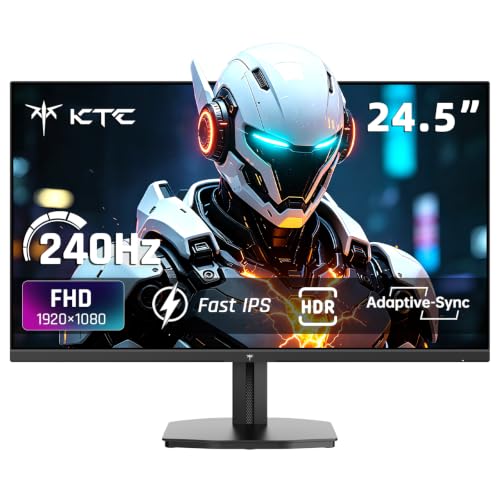
- 24.5-inch FHD Fast IPS display with a 240Hz refresh rate and 1ms response time.
- Adaptive Sync is designed to reduce screen tearing and stuttering.
- Two HDMI ports, one DisplayPort, tilt adjustment, and VESA support.
Best For: PC gamers seeking a high-refresh-rate monitor for competitive play.
3. Fosi Audio K7 DAC Headphone Amp
Desktop Audio Control
Fosi Audio K7 DAC Headphone Amp

- Connects through USB-C, Bluetooth, coaxial, or optical input.
- Offers 4.4mm balanced, 3.5mm, and RCA outputs, plus a microphone input.
- Dual control knobs, shortcut buttons, and a status display suit desktop use.
Best For: Gamers with wired headphones building a desktop audio setup.
4. XPPen Artist 12 Pro Drawing Tablet
A Screen for Creative Side Quests
XPPen Artist 12 Pro Drawing Tablet

- 11.6-inch display, battery-free stylus, 8,192 pressure levels, and tilt support.
- Red dial and eight customizable shortcut keys support drawing and editing workflows.
- Requires connection to a compatible computer; it is not a standalone tablet.
Best For: Gamers interested in digital art, character design, or stream graphics.
5. Entina Tina2C Beginner 3D Printer
Make Custom Gaming Desk Gear
Entina Tina2C Beginner 3D Printer

- Fully assembled mini printer with app and Wi-Fi control, plus offline TF card printing.
- Auto leveling and a flexible magnetic build plate simplify print setup and removal.
- Compact 3.9-inch-cubed print volume suits small projects and models.
Best For: Creative gamers who want to make miniatures or small desk accessories.
6. THREEKEY Qi2 Magnetic Charging Stand
A Handy Phone Dock
THREEKEY Qi2 Magnetic Charging Stand

- Qi2 wireless charging stand includes a 35W USB-C adapter and 5-foot cable.
- Tilts between 20° and 90° for viewing while charging.
- Check phone compatibility; some Android phones require a metal ring for magnetic alignment.
Best For: A gamer with a compatible phone who wants it visible at the desk.
7. Quntis Curved Monitor Light Bar
Light for a Wide Gaming Desk
Quntis Curved Monitor Light Bar

- Extends up to 26 inches and is designed for 34-inch-plus curved screens or large flat monitors.
- Front light has adjustable brightness and 3000K–6500K color temperature; RGB backlight has 15 modes.
- Adjustable clamp fits screens up to 3.35 inches thick.
Best For: Gamers with a large monitor who want adjustable desk and backlighting.
8. Acer 9-in-1 USB-C Docking Station
Laptop Setup, Connected
Acer 9-in-1 USB-C Docking Station

- Two HDMI ports support dual displays up to 4K at 60Hz when connected devices allow.
- Adds three USB-A ports, one USB-C port, and SD and MicroSD slots.
- Laptop needs a full-featured USB-C port with DisplayPort Alt Mode; power adapter is not included.
Best For: Gamers who also connect a compatible laptop for school or work.
9. FIFINE AmpliGame A6T USB Microphone Kit
A Streaming Desk Starter
FIFINE AmpliGame A6T USB Microphone Kit

- USB microphone kit includes a boom arm, shock mount, pop filter, and cable.
- Touch mute control, volume knob, and RGB lighting are built in.
- Compatible with Windows, Mac, PS4, and PS5 according to the supplied notes.
Best For: Streamers, podcasters, and gamers who use voice chat.
10. Redragon K668 Hot-Swap RGB Gaming Keyboard
Customizable Full-Size Keys
Redragon K668 Hot-Swap RGB Gaming Keyboard

- Wired 108-key layout includes four shortcut keys and anti-ghosting.
- Hot-swap sockets accept many 3-pin or 5-pin switches without soldering.
- Includes two mixed-color keycap sets and adjustable lighting modes.
Best For: PC gamers who enjoy customizing their keyboard and setup.
11. Guermok 4K60 Capture Card
For Recording Console Sessions

- Supports up to 4K60 capture and 4K60 HDMI passthrough; a USB 3.0 or faster port is recommended.
- Includes 3.5mm audio input and microphone output for stream audio.
- Works with listed consoles and software such as OBS Studio; setup is plug and play.
Best For: Console gamers who record or stream gameplay on a computer.
12. UG-08S Wireless Gaming Headset
Wireless Voice Chat and Game Audio
UG-08S Wireless Gaming Headset
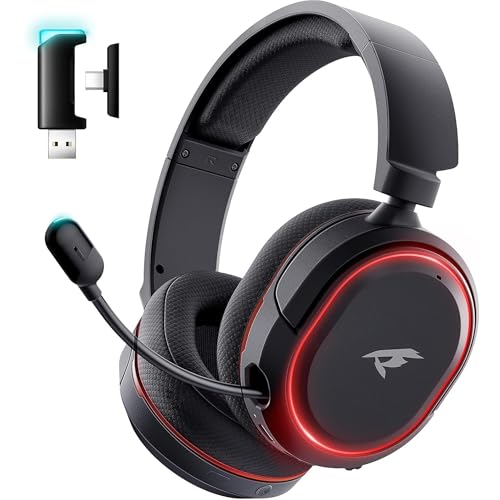
- Offers 2.4GHz wireless, Bluetooth, and 3.5mm wired connections.
- Retractable microphone, one-touch mute, and ear-cup lighting are included.
- Supplied notes list compatibility with PC, PS5, PS4, Mac, and Switch.
Best For: Multiplayer gamers who want a headset for voice chat across devices.
13. EMEET C950 4K Webcam
A Camera for Streams and Calls
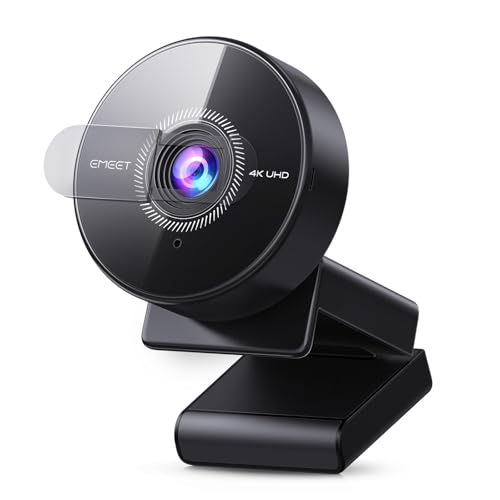
- Supports up to 4K at 30fps or 1080p at 60fps, depending on software and platform.
- PDAF autofocus, a 70-degree field of view, and an integrated microphone are included.
- USB plug-and-play connection and a physical privacy cover; no tripod mounting.
Best For: Streamers or gamers who want to appear on camera.
14. Portable Bluetooth Speaker with 20W Sound
Take Audio Beyond the Desk
Portable Bluetooth Speaker with 20W Sound
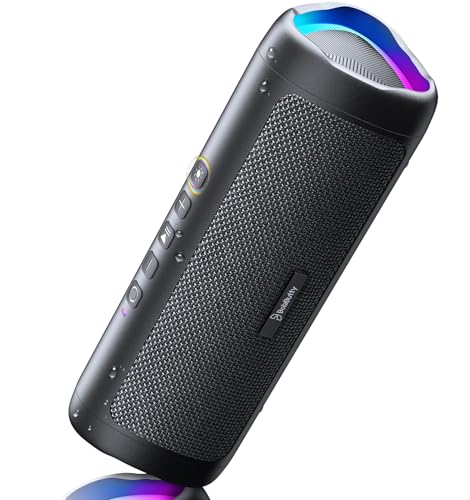
- Portable speaker offers Bluetooth connection and an AUX input; cable is not included.
- Up to 24 hours of playtime is stated at 50% volume with lights off.
- IPX5 water resistance and a multicolor light show suit outdoor gatherings.
Best For: Gamers who want music or audio away from their desk.
15. Redragon M810 PRO Wireless RGB Gaming Mouse
Wireless Precision and Shortcuts
Redragon M810 PRO Wireless RGB Gaming Mouse

- 2.4GHz wireless mouse has eight programmable buttons and adjustable DPI presets.
- Rechargeable battery is listed for up to 45 hours in eco mode.
- Software supports button remapping and customizable RGB lighting.
Best For: PC gamers who want configurable controls and a wireless desk setup.
16. DAYBETTER Smart IC LED Strip Lights
Color for a Gaming Corner
DAYBETTER Smart IC LED Strip Lights

- 16.4-foot indoor strip displays multiple colors along one line.
- Control lighting through the app or included infrared remote, with preset scenes.
- Music-sync mode responds to audio; outdoor use is not recommended.
Best For: Gamers who want customizable lighting in a bedroom or gaming area.
17. ASUS ROG Xbox Ally Handheld Gaming PC
PC Games in Handheld Form
ASUS ROG Xbox Ally Handheld Gaming PC

- Windows 11 handheld with a 7-inch 120Hz touchscreen and 16GB RAM.
- 512GB SSD and access to PC games from Xbox, Steam, Epic, and other Windows stores.
- Includes a DKZ USB hub accessory, according to the supplied title.
Best For: Gamers who want to play PC games around the house or while traveling.
18. SanDisk 2TB Extreme Portable SSD
Room for a Larger Game Library
SanDisk 2TB Extreme Portable SSD
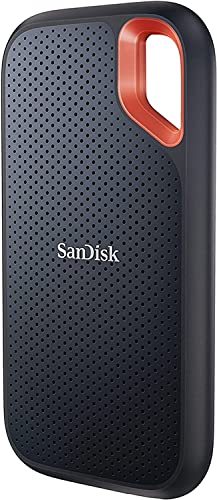
- 2TB portable storage connects over USB-C and lists read speeds up to 1,050MB/s.
- IP65 water and dust resistance and stated drop protection support portable use.
- Includes password protection with 256-bit AES hardware encryption.
Best For: Gamers with large libraries or limited device storage; check device compatibility.
19. TMY Native 1080P Mini Projector
Choosing a Gadget for the Way They Play
Start with the recipient’s routine. A competitive PC player may value a high-refresh-rate monitor, a configurable mouse, or a keyboard with hot-swap switches. Someone who streams or plays with friends may get more use from a microphone, webcam, capture card, or headset. For players whose interests stretch beyond gaming, a drawing display or compact 3D printer can support artwork and custom projects between sessions.
Think about the setup they already have. A desk upgrade has to fit available space: the curved monitor light bar is designed for large displays, while a docking station helps connect a compatible laptop to screens and peripherals. Portable gifts serve a different habit. The handheld gaming PC brings Windows games into more rooms, a portable SSD can add storage, and a power station suits trips where outlets are scarce. A projector can shift supported games to a larger image when the room and source device allow it.
Match the Gift to Your Budget
For a smaller desk refresh, consider lighting, a charging stand, a mouse, or a portable speaker. These gifts can add a useful feature or change the feel of a setup without requiring a full replacement of the recipient’s equipment. Midrange picks such as a keyboard, microphone kit, webcam, or capture card make sense when you know the person wants to improve a particular part of their setup.
Bigger purchases deserve a clearer reason. A monitor is most useful when the recipient wants a new display and has a compatible computer or console. A handheld, power station, drawing tablet, or 3D printer fits a more specific interest and may need room, accessories, or a learning curve. Consider what problem the gift solves—or what hobby it makes easier—rather than choosing by feature count alone.
Check Compatibility and Personalization
Gaming gear is full of connection and platform details, so check the recipient’s devices before choosing. Confirm available ports, operating system, console model, and display support. The USB-C dock requires video output through DisplayPort Alt Mode, and its dual-display behavior has Mac limitations. The capture card recommends USB 3.0 or faster for its higher capture modes. The drawing display needs a host computer, while the projector may need an additional HDMI adapter for a phone.
Personalize around the parts of gaming they enjoy. A streamer may appreciate tools that improve voice or camera presentation. A player who likes tinkering may enjoy a hot-swap keyboard or making small prints. A phone stand is only a good fit if the recipient’s model supports its charging and magnetic setup. If uncertain, favor a broadly useful accessory, but still verify the essential connection or platform requirements.
Timing and Last-Minute Decisions
For a Christmas gift, leave time to check model names and ports, especially for display, charging, and capture equipment. Avoid assuming that two devices work together simply because both use USB-C or HDMI; the port’s capabilities matter. For a larger setup change, consider whether the recipient has space, the right cables, and the time to configure it.
When buying close to Christmas, choose based on what is already known: their platform, desk layout, and current gear. A simple accessory can still feel thoughtful when it supports an actual habit, such as voice chat, travel play, or late-night gaming. For products that need installation or software, include a note explaining the intended use so the gift can be set up when convenient. That practical context often makes a gadget gift easier to enjoy from the first session.