An rgb gaming mouse pad does more than add color to a setup. The right one can improve mouse glide, protect your desk, and give your battlestation a cleaner, more immersive look.
With so many extended, cloth, hard-surface, and feature-packed models available, this guide helps you narrow the field fast and choose a mat that fits how you game and work.
Best 10 RGB Gaming Mouse Pad Picks for 2026
BladeHawks 14-Mode XL Desk Mat
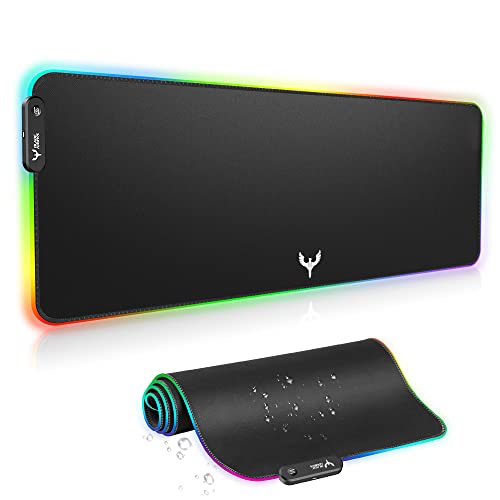
- 31.5 x 12 inch extended surface
- 14 lighting modes with memory function
- Waterproof cloth top and anti-slip rubber base
Best For: Large setups that need full-desk coverage and simple RGB lighting
DR CATCH 14-Mode Large Mat

- 31.5 x 12 inch extended layout
- 14 lighting modes with memory function
- Waterproof microfiber surface with rubber grip
Best For: Users who want a soft, easy-clean RGB mat for gaming or work
Razer Goliathus Chroma Extended
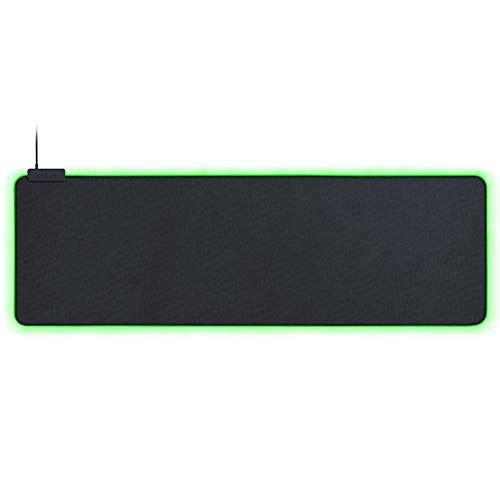
- Chroma RGB with 16.8 million colors
- Syncs with Razer and other compatible gear
- Micro-textured cloth surface with non-slip base
Best For: Razer ecosystem fans who want synced lighting and control
RNAIRNI 10-Mode Extra-Wide Mat
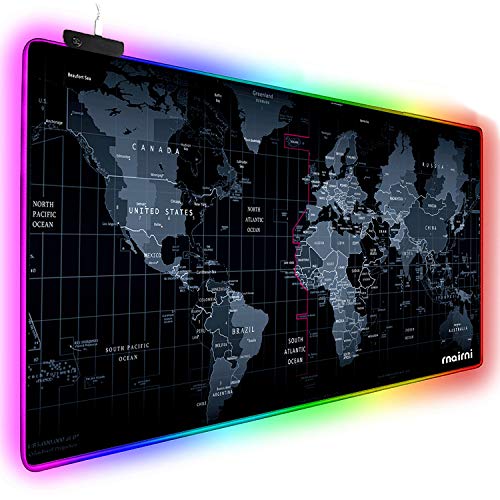
- 31.5 x 15 inch extra-wide size
- 10 RGB lighting modes with on/off option
- Waterproof surface and anti-slip base
Best For: Shoppers who want wider desk coverage than a standard extended mat
Razer Chroma Control
Firefly Hard V2 RGB Gaming Mousepad

- Chroma lighting syncs with Razer, Philips Hue, and partners
- Micro-textured hard surface supports precise tracking
- Built-in cable manager and rubber base improve desk stability
Best For: Players who want a compact RGB hard pad with cable control and synced lighting
Corsair Desk-Sized Glow
MM700 RGB Extended 3XL Mouse Pad

- Huge 48" x 24" cloth surface covers most of a desk
- 360° three-zone RGB lighting with onboard or iCUE control
- Two USB ports add convenient peripheral connections
Best For: Users who want a massive RGB desk mat with a cloth glide surface
Budget RGB Desk Mat
BladeHawks Extra Large LED Mouse Pad

- 31.5" x 11.8" extended size fits keyboard and mouse
- 7 static and 3 dynamic lighting modes with memory
- USB plug-and-play, waterproof surface, and anti-slip base
Best For: Budget buyers who want a simple extended RGB mat with easy setup
Immersive RGB Pick
TIDALSOIL 31.5 x 11.8 Oversized Mouse Pad

- 12 RGB light modes with dynamic and static effects
- Oversized 31.5 x 11.8-inch surface for keyboard and mouse
- Non-slip rubber base, stitched edges, and memory function
Best For: Large desks and simple plug-and-play RGB setups
Bright Budget Option
Model-A RGB Mouse Pad 31.5 x 11.8

- 13 LED modes with both static and flashing effects
- Large 31.5 x 11.8-inch mat for gaming keyboards and mice
- Smooth surface, non-slip base, and USB plug-and-play
Best For: Users who want lots of RGB modes on a large desk mat
Feature-Rich Desk Mat
Schkner RGB Mouse Pad with Wireless Charging

- Built-in 15W wireless charging for compatible devices
- 10 RGB lighting modes with memory function
- Waterproof, stitched-edge surface with non-slip rubber base
Best For: Cable-conscious users who want RGB plus wireless charging
BladeHawks 14-Mode XL Desk Mat – Extra-Large RGB Layout
If you want an RGB gaming mouse pad that doubles as a full desk mat, this BladeHawks model is built for wide setups. Its 31.5 x 12 inch surface gives plenty of room for a keyboard, mouse, and small accessories, while the LED edge lighting adds a simple visual upgrade for gaming or office use.
Best For: Users who want a large, USB-powered RGB mat with a waterproof surface and easy one-button controls.
Pros:
- Extra-large 31.5 x 12 inch size fits a keyboard, mouse, and more
- 14 lighting modes total, including 7 static and 7 dynamic options
- Anti-slip natural rubber base helps keep the mat in place
- Micro-textured cloth surface is designed for smooth, precise mouse movement
Cons:
- Requires USB power for the lighting to work
- Lighting controls are basic, using a single button
Overall, this is a practical pick if you want a spacious RGB desk mat with straightforward controls and a waterproof top layer. The mix of size, grip, and lighting modes makes it easy to fit into a gaming or work setup.
DR CATCH 14-Mode Large Mat – Smooth RGB Work Surface
This rgb gaming mouse pad from DR CATCH is aimed at users who want a roomy surface with simple lighting controls. At 31.5 x 12 inches, it provides enough space for a keyboard and mouse, while the microfiber top is made for smooth movement and easy cleanup.
Best For: Gamers and office users who want a large, waterproof RGB mouse mat with a soft feel.
Pros:
- Large 31.5 x 12 inch size works well for keyboard-and-mouse setups
- 14 lighting modes with power-off memory
- Smooth microfiber surface supports precise mouse movement
- Waterproof and easy to clean, with a stable rubber base
Cons:
- Lighting setup is powered by USB
- Surface is optimized for smooth glide, not a textured control feel
In practice, this is a straightforward extended RGB pad that focuses on size, comfort, and spill resistance. It’s a good fit if you want an easy-to-use desk mat that can handle both gaming and everyday work.
Razer Goliathus Chroma Extended – Premium Sync Lighting
If you’re looking for a more premium rgb gaming mouse pad, the Razer Goliathus Extended Chroma stands out for its ecosystem support. It offers customizable Chroma lighting, a micro-textured cloth surface for control, and a long extended format that suits larger desks and gaming setups.
Best For: Razer users who want synchronized RGB lighting and a control-focused cloth surface.
Pros:
- Razer Chroma RGB supports 16.8 million colors and dynamic effects
- Can sync with compatible Razer gear, games, and partner devices
- Micro-textured cloth surface is designed for tactile control
- Non-slip natural-foam rubber base helps keep it steady
Cons:
- More expensive positioning than basic LED desk mats
- Best value depends on using other Chroma-compatible devices
This is the strongest choice here if you care about lighting integration and a more polished brand ecosystem. It trades simple plug-and-play value for deeper customization and a more refined gaming feel.
RNAIRNI 10-Mode Extra-Wide Mat – Wide RGB Desk Coverage
This rgb gaming mouse pad is built for users who want extra width for a keyboard, mouse, and desktop coverage. The 31.5 x 15 inch size gives it a broader footprint than many standard extended mats, and the USB-powered lighting adds customizable color effects for gaming or office use.
Best For: Buyers who want a wider-than-average RGB desk mat with waterproof protection.
Pros:
- Wide 31.5 x 15 inch surface offers generous full-desk coverage
- 10 lighting modes include color choices and motion effects
- Waterproof design helps protect the desktop from spills
- Anti-slip base is meant to keep the mat firmly in place
Cons:
- Fewer lighting modes than 14-mode alternatives
- USB power is required for the RGB lighting
For shoppers who prioritize width over extra lighting variety, this mat is an easy fit. It covers more desk space than many competitors, making it useful if you want a large surface that can also be turned off for office use.
Razer Chroma Control – Firefly Hard V2 RGB Gaming Mousepad
If you want an rgb gaming mouse pad that leans into desktop lighting and precise tracking, the Razer Firefly Hard V2 is built around a micro-textured hard surface and full Chroma integration. It’s a compact pick that balances control and speed while adding cable management and a steady rubber base.
Best For: Players who want a small hard RGB pad with precise tracking, lighting sync, and built-in cable management.
Pros:
- Individually backlit Chroma lighting supports broad sync options, including Razer hardware, Philips Hue, and 30+ partners.
- Micro-textured surface is calibrated for all mouse sensors and supports both fast and controlled playstyles.
- Built-in cable manager helps keep mouse wires organized during play.
- Non-slip natural-foam rubber base helps keep the pad in place.
Cons:
- Smaller footprint than extended desk-mat style RGB pads.
- Hard surface may not appeal to users who prefer cloth texture.
Overall, this is a good fit if your priority is lighting integration and a smooth, responsive hard mat rather than full-desk coverage. It keeps the feature set focused on performance and desktop neatness.
Corsair Desk-Sized Glow – MM700 RGB Extended 3XL Mouse Pad
The Corsair MM700 is an rgb gaming mouse pad for people who want their whole desk to feel organized and illuminated. Its oversized cloth surface, three-zone RGB lighting, and built-in USB ports make it a practical desk mat for a full keyboard-and-mouse setup.
Best For: Gamers who want an extra-large RGB desk mat with a cloth surface and convenient USB ports.
Pros:
- Massive 48″ x 24″ surface covers a keyboard, mouse, and other desk gear.
- 360° three-zone RGB lighting adds a strong perimeter glow with onboard or iCUE control.
- Two built-in USB ports make peripheral connections easier.
- Glide-enhanced woven textile surface is tuned for low-friction mouse tracking.
Cons:
- Large size may be more than some desks can comfortably handle.
- Thicker, heavier build is less portable than a smaller mouse pad.
If you want desk-spanning coverage instead of a standard mouse mat, this model stands out for size and utility. The RGB lighting is a bonus, but the real value is how much surface and convenience it adds.
Budget RGB Desk Mat – BladeHawks Extra Large LED Mouse Pad
The BladeHawks extra large rgb gaming mouse pad focuses on size, lighting modes, and everyday practicality. With a 31.5″ x 11.8″ layout, USB-powered operation, and a waterproof micro-textured cloth surface, it’s a simple way to add RGB to a keyboard-and-mouse setup.
Best For: Budget-minded gamers who want an extended RGB mouse pad with easy plug-and-play lighting.
Pros:
- Extended 31.5″ x 11.8″ size gives room for a keyboard, mouse, and accessories.
- Offers 7 static modes and 3 dynamic modes with power-off memory.
- USB plug-and-play design requires no driver installation.
- Anti-slip rubber base and waterproof surface add everyday practicality.
Cons:
- Lighting is controlled manually with a single button, so customization is basic.
- RGB feature set is less advanced than premium software-driven pads.
This is a straightforward choice if you want a larger illuminated pad without a complicated setup. It emphasizes convenience, basic lighting variety, and reliable desk grip.
Immersive RGB Pick – TIDALSOIL 31.5 x 11.8 Oversized Mouse Pad
If you want an rgb gaming mouse pad that covers both your keyboard and mouse, this oversized TIDALSOIL mat is built for a cleaner, more immersive desk setup. It offers 12 lighting modes, a smooth surface for precise movement, and a non-slip rubber base to help keep everything steady during play or work.
Best For: Gamers or office users who want a large, stable RGB desk mat with simple plug-and-play setup.
Pros:
- 31.5 x 11.8-inch size gives you full keyboard-and-mouse coverage.
- 12 RGB modes include dynamic and static options for different setups.
- Non-slip rubber base and reinforced edge stitching add stability and durability.
- USB plug-and-play design includes memory function for convenience.
Cons:
- No wireless charging or extra smart features.
- Lighting control is basic button-based rather than software-driven.
Overall, this is a straightforward oversized RGB gaming mouse pad that focuses on desk coverage, reliable grip, and easy lighting control. It is a practical pick if you want a large illuminated mat without extra complexity.
Bright Budget Option – Model-A RGB Mouse Pad 31.5 x 11.8
This rgb gaming mouse pad is designed for users who want a large illuminated surface with a wide range of lighting effects. The 31.5 x 11.8-inch size, smooth mouse area, and non-slip rubber base make it a practical choice for gaming desks, while the 13 LED modes add a more customizable look.
Best For: Gamers who want a large RGB desk mat with lots of lighting modes and easy USB power.
Pros:
- 13 lighting modes, including 7 static and 6 flashing effects.
- Oversized 31.5 x 11.8-inch surface suits a keyboard and mouse setup.
- Smooth tracking surface is made for controlled mouse movement.
- USB plug-and-play operation keeps setup simple.
Cons:
- No added features like wireless charging or waterproofing.
- Warranty info is listed as no warning applicable in the supplied notes.
In short, this model focuses on lighting variety and desk coverage rather than extras. If your priority is a bright, simple RGB gaming mouse pad with an easy setup, it fits the bill well.
Feature-Rich Desk Mat – Schkner RGB Mouse Pad with Wireless Charging
If you want an rgb gaming mouse pad that does more than light up your desk, this Schkner model adds built-in 15W wireless charging to the mix. It also uses a micro-textured waterproof fabric surface, stitched edges, and a natural rubber base, making it a strong fit for a more organized gaming or work setup.
Best For: Users who want RGB lighting plus wireless phone charging in one large desk mat.
Pros:
- Built-in 15W wireless charging helps reduce cable clutter.
- 10 RGB lighting modes include dynamic and static options with memory function.
- XXL 800 x 300 x 4 mm size gives plenty of room for accessories.
- Waterproof fabric surface, stitched edges, and non-slip rubber base add durability.
Cons:
- Heavier and thicker than basic mouse pads at 4 mm and 1.5 pounds.
- Wireless charging only works with compatible devices.
Overall, this is the most feature-packed option here, especially if desk organization matters as much as lighting. It blends RGB style, charging convenience, and a large working surface into one practical mat.
How We Picked the Best RGB Gaming Mouse Pads
For this roundup, the focus was on practical value rather than lighting alone. We looked for mats with enough surface area for keyboard-and-mouse setups, reliable anti-slip bases, even illumination, and materials that support comfortable daily use. We also favored options with clear size specs, multiple lighting modes, and features such as water resistance, cable management, or wireless charging when they added real utility.
Quick Comparison
Most buyers will find the best fit by matching the pad to desk size and play style. Large cloth models are usually the safest all-around choice for comfort and control. Hard-surface versions tend to appeal to players who want lower friction and easier cleanup. Extra-large desk mats work best if you want your keyboard and mouse on the same surface, while feature-rich versions can make sense for users who want charging or a more premium desktop setup.
Key Buying Factors for an RGB Gaming Mouse Pad
Size and Desk Coverage
Measure your desk before you buy. A compact mat may save space, but an extended RGB Gaming Mouse Pad gives more room for sweeping mouse movements and creates a more unified setup. If you use a full-size keyboard, look for oversized or extended dimensions.
Surface Material
Cloth surfaces usually offer a balanced mix of comfort and control, while hard surfaces can provide a faster glide. If you play competitive shooters, surface feel matters more than lighting features. If you work at your desk all day, a softer cloth mat may be easier on the wrist.
Lighting and Controls
Check how the RGB modes are changed. A good pad should offer multiple effects with simple controls and, ideally, memory for your last setting. Bright lighting is nice, but even edge illumination and easy adjustment matter more in everyday use.
Base Stability and Durability
A non-slip rubber base is essential, especially on smooth desks. Reinforced stitching, water resistance, and durable edges can also help the mat hold up over time.
Extra Features
Some models add wireless charging, cable management, or extended thickness for added comfort. These are useful if they fit your routine, but they should not replace the basics: size, grip, and surface quality.
Who Should Buy Which RGB Gaming Mouse Pad?
If you want the safest all-around choice, pick an extended cloth mat with multiple lighting modes and a stable base. Competitive players may prefer a faster, lower-friction surface. Desk-focused buyers should look for oversized options that unify the keyboard and mouse area. And if you want maximum convenience, a model with wireless charging or built-in cable management may be worth the upgrade.
In short, the best RGB Gaming Mouse Pad is the one that matches your space, your grip preference, and how you actually use your desk every day.