If you’re looking to enhance your gaming experience, investing in a WiFi 6E adapter is a smart choice. These adapters offer impressive speeds and low latency, ensuring you stay connected and competitive. With a range of options available, from USB to PCIe interfaces, you can find the perfect fit for your setup. Curious about which models stand out and what features you should consider? Let’s explore the top contenders.
TP-Link WiFi 6 USB Adapter (Archer TX20U Plus)

If you’re a gamer looking to enhance your online experience, the TP-Link WiFi 6 USB Adapter (Archer TX20U Plus) is a standout choice. This AX1800 adapter supports Windows 11/10 and connects via USB 3.0, delivering speeds up to 1.8 Gbps. With dual-band capabilities on 2.4GHz and 5GHz, you’ll enjoy reduced latency thanks to MU-MIMO and OFDMA technologies. Its adjustable dual high-gain antennas improve range, and it includes a 1-meter USB cable for flexible placement. Plus, with WPA3 encryption, your gaming sessions stay secure. Backed by 24/7 support and a 2-year warranty, it’s a reliable option for serious gamers.
Best For: Gamers seeking a high-speed, reliable wireless connection for an enhanced online experience.
Pros:
- High-speed performance with speeds up to 1.8 Gbps for seamless gaming.
- Dual-band connectivity reduces latency and congestion for smoother gameplay.
- WPA3 encryption ensures secure connections, protecting personal data during gaming sessions.
Cons:
- Manual driver upload required for Mac OS, which may be inconvenient for some users.
- Designed primarily for desktop PCs, limiting mobile use.
- Adjustable antennas may require positioning adjustments for optimal signal quality.
TP-Link AXE5400 WiFi 6E USB Adapter (Archer TXE70UH)
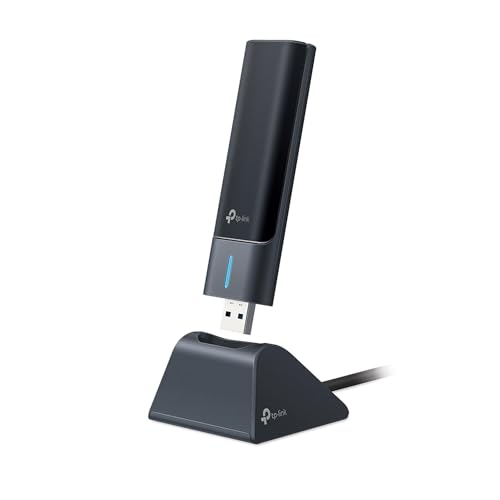
For gamers seeking a competitive edge, the TP-Link AXE5400 WiFi 6E USB Adapter (Archer TXE70UH) stands out with its ultra-low latency and tri-band capability. It supports speeds up to 2.4 Gbps, utilizing the 6 GHz band for maximum performance. With MU-MIMO and OFDMA technologies, you can enjoy efficient network performance even when multiple devices are connected. The dual-band antennas with beamforming enhance range and signal quality, ensuring you stay connected during intense gaming sessions. Plus, its USB 3.0 design guarantees fast transfer speeds, and the WPA3 security provides peace of mind as you plunge into your gaming adventures.
Best For: Gamers looking for high-speed, low-latency wireless connectivity to enhance their gaming experience.
Pros:
- Ultra-low latency for a competitive gaming edge.
- Tri-band capability allows for faster speeds and better performance with multiple devices.
- Enhanced security with WPA3 protection for safer online gaming.
Cons:
- May require a USB 3.0 port for optimal performance, limiting compatibility with older devices.
- Tri-band performance may not be fully utilized without a compatible router.
- Price point may be higher compared to standard USB adapters.
TP-Link WiFi 6E USB Adapter for Desktop PC (Archer TXE50UH)
The TP-Link WiFi 6E USB Adapter for Desktop PC (Archer TXE50UH) stands out as an ideal choice for gamers seeking ultra-low latency and exceptional connectivity. With tri-band capabilities, it delivers speeds up to 1.2 Gbps on both the 6 GHz and 5 GHz bands, ensuring your gaming sessions remain smooth and responsive. Its MU-MIMO and OFDMA technologies enhance performance, allowing multiple devices to connect without lag. Plus, the USB 3.0 interface provides transfer speeds up to ten times faster than USB 2.0. With WPA3 security, you’ll also enjoy peace of mind while gaming online. Upgrade your setup today!
Best For: Gamers and users who require high-speed, low-latency internet connectivity for seamless online experiences.
Pros:
- Tri-band capabilities provide faster speeds of up to 1.2 Gbps on 6 GHz and 5 GHz bands.
- MU-MIMO and OFDMA technologies allow multiple devices to connect simultaneously without lag.
- WPA3 security offers enhanced protection for online activities.
Cons:
- May require a compatible router to fully utilize the 6 GHz band.
- USB 3.0 interface may be limited by the availability of ports on older devices.
- Some users may experience interference in crowded Wi-Fi environments despite advanced technology.
NETGEAR Nighthawk WiFi 6E USB 3.0 Adapter (A8000)

Gamers seeking cutting-edge connectivity will find the NETGEAR Nighthawk WiFi 6E USB 3.0 Adapter (A8000) to be an excellent choice. With AXE3000 tri-band speeds up to 3Gbps, it offers a significant performance boost—2.5 times faster than WiFi 5. It’s compatible with any WiFi 6 or 6E router, ensuring you can tap into the exclusive 6GHz band for seamless gaming and streaming. The compact design features a flippable antenna for improved signal strength and makes it portable for home or on-the-go use. Plus, with a solid 4.4-star rating, you can trust its reliability for your gaming needs.
Best For: Gamers and streamers looking for high-speed, reliable connectivity with the latest WiFi technology.
Pros:
- Fast AXE3000 speeds up to 3Gbps, significantly enhancing gaming and streaming experiences.
- Compatible with any WiFi 6 or 6E router, allowing access to the exclusive 6GHz band for optimal performance.
- Compact and portable design with a flippable antenna for improved signal strength, suitable for both home and on-the-go use.
Cons:
- Limited to Windows PC, which may not suit users with other operating systems.
- Performance may vary depending on router capabilities and distance from the source.
- Higher price point compared to standard USB adapters, which could deter budget-conscious buyers.
WAVLINK WiFi 6E USB Adapter for Desktop PC
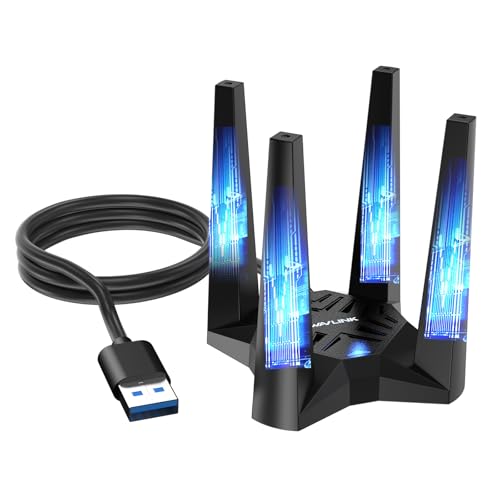
If you’re looking to elevate your gaming experience, the WAVLINK WiFi 6E USB Adapter offers impressive tri-band speeds of up to 5400 Mbps, making it perfect for high-demand activities like 8K streaming and rapid file transfers. This adapter supports 2.4GHz, 5GHz, and 6GHz bands, ensuring faster speeds and reduced latency. It features high-gain antennas and advanced technologies like MU-MIMO and OFDMA. Installation is a breeze with plug-and-play functionality, while the magnetic base and extended USB cable help optimize signal reception. Just remember, it’s compatible with Windows 10/11 and isn’t designed as a WiFi booster.
Best For: Gamers and high-demand users seeking ultra-fast internet for activities like 8K streaming and rapid file transfers.
Pros:
- Tri-band speeds of up to 5400 Mbps for enhanced performance.
- Plug-and-play installation for immediate use without complex setup.
- Magnetic base and extended USB cable for flexible placement and optimal signal reception.
Cons:
- Limited compatibility, only supporting Windows 10/11.
- Not a WiFi booster, extender, or repeater, which may affect performance with standard WiFi 5/6 routers.
- Driver installation required for system recognition, which may necessitate manual downloads.
TP-Link WiFi 6E PCIe WiFi Card (Archer TXE75E)
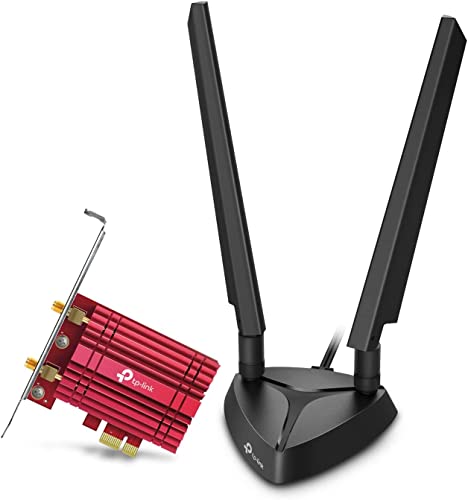
For anyone seeking top-tier performance in online gaming, the TP-Link WiFi 6E PCIe WiFi Card (Archer TXE75E) stands out with its tri-band capabilities and impressive speeds of up to 2402 Mbps on both the 5 GHz and 6 GHz bands. This card supports the latest 802.11ax standard, ensuring low latency and seamless VR experiences. With dual multi-directional antennas and Bluetooth 5.3, you’ll enjoy faster connections and broader coverage. Plus, its WPA3 security provides enhanced protection against unauthorized access. Installation is hassle-free, as it includes both standard and low-profile brackets to fit various PC cases.
Best For: Gamers and tech enthusiasts looking for high-speed, reliable wireless connectivity for their desktop PCs.
Pros:
- High-speed performance with up to 2402 Mbps on both 5 GHz and 6 GHz bands.
- Supports the latest WiFi 6E and Bluetooth 5.3 standards for enhanced connectivity and security.
- Easy installation with both standard and low-profile brackets included.
Cons:
- Requires Windows 11 for full functionality on the 6 GHz band and Bluetooth.
- May be overkill for users with basic internet needs or slower internet speeds.
- Limited compatibility with older hardware that does not support PCIe.
NETGEAR Nighthawk WiFi 6 USB 3.0 Adapter (A7500)

The NETGEAR Nighthawk WiFi 6 USB 3.0 Adapter (A7500) is a game-changer for those looking to elevate their online experience. This AX1800 dual-band adapter offers speeds up to 1.8Gbps, making it perfect for HD streaming, gaming, and video conferencing. It instantly upgrades your older Windows PCs to WiFi 6, ensuring faster uploads and downloads. Plus, its flexible antenna design maximizes signal strength and coverage while supporting the latest WPA3 security protocol. Weighing just 4.2 ounces, it’s easy to carry and compatible with any WiFi 6 or 5 router. With a 4.6-star rating, it’s a reliable choice for gamers.
Best For: Those seeking to upgrade their older Windows PCs for enhanced online activities like gaming, HD streaming, and video conferencing with the latest WiFi 6 technology.
Pros:
- Fast Speeds: Offers up to 1.8Gbps, suitable for high-demand applications.
- Easy Setup: Instantly upgrades older Windows PCs and notebooks to WiFi 6.
- Enhanced Security: Supports the latest WPA3 security protocol for improved protection.
Cons:
- Limited Compatibility: Requires Windows 10 or 11, which may not suit all users.
- Weight: At 4.2 ounces, it may be slightly bulkier compared to other USB adapters.
- Return Policy: Strict return conditions may deter some buyers if they encounter issues.
GIGABYTE WiFi 6E Expansion Card

Gaming enthusiasts looking for lightning-fast internet connectivity will appreciate the GIGABYTE WiFi 6E Expansion Card. This PCIe expansion card features the Intel Wi-Fi 6E AX210 module, delivering tri-band WiFi across 2.4GHz, 5GHz, and 6GHz bands. With speeds up to 2400Mbps and ultra-low latency, your gaming experience will be smoother than ever. The dual-stream wireless and MU-MIMO TX/RX technology enhance performance, while the AORUS high-performance antenna guarantees a strong signal. Rated 4.6 out of 5 stars, it’s a top choice among gamers. Plus, you’ll get reliable support and a solid warranty for peace of mind.
Best For: Gaming enthusiasts seeking high-speed internet connectivity and low latency for an immersive experience.
Pros:
- High-speed performance with speeds up to 2400Mbps, ideal for gaming and streaming.
- Tri-band capability allows for better connectivity across 2.4GHz, 5GHz, and 6GHz bands.
- MU-MIMO technology enhances performance by allowing multiple devices to connect simultaneously without interference.
Cons:
- Requires PCIe slot for installation, which may not be available on all motherboards.
- Potential compatibility issues with older networking equipment not supporting Wi-Fi 6E.
- Higher price point compared to basic Wi-Fi cards, which may not be justified for casual users.
BE6500 USB WiFi 7 Adapter for Gaming and Streaming
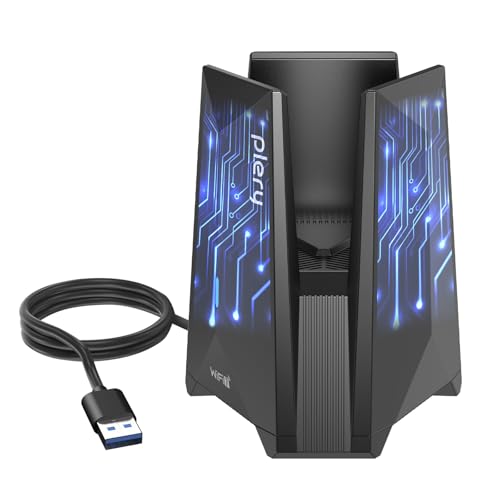
If you’re looking for a WiFi adapter that can handle the demands of 4K and 8K streaming while providing seamless connectivity for competitive gaming, the BE6500 USB WiFi 7 Adapter is an excellent choice. With speeds up to 6.5 Gbps and tri-band performance across 6GHz, 5GHz, and 2.4GHz, it guarantees stable connections even in crowded environments. Its USB 3.0 interface offers ultra-low latency data transfer, perfect for gaming and large file transfers. Plus, built-in drivers make installation a breeze on Windows 10/11. With WPA3 encryption, your network remains secure, making it a solid investment for any gamer or streamer.
Best For: Gamers and streamers looking for high-speed, reliable WiFi connectivity for 4K/8K content and competitive gaming.
Pros:
- Tri-band performance ensures stable connections in dense environments.
- Ultra-low latency data transfer through USB 3.0 interface enhances gaming and streaming experiences.
- Easy installation with built-in drivers compatible with Windows 10/11.
Cons:
- Limited compatibility with operating systems other than Windows 10/11.
- Slightly heavier design may not be ideal for portable use.
- Premium price point may not suit all budget ranges.
TP-Link WiFi 6 PCIe WiFi Card for Desktop PC (Archer TX55E)

For gamers seeking exceptional performance, the TP-Link WiFi 6 PCIe WiFi Card (Archer TX55E) stands out with its impressive speeds of up to 2.4 Gbps. Utilizing OFDMA and MU-MIMO technology, it minimizes lag for a smooth gaming experience. Two high-gain antennas boost your range, ensuring uninterrupted connectivity even at greater distances. Plus, with Bluetooth 5.2, you get faster speeds and broader coverage for connecting your game controllers, headphones, and keyboards. Enhanced security is guaranteed with the WPA3 protocol, keeping your network safe. Installation is a breeze, as it’s compatible with Windows 10 and 11 and includes standard brackets.
Best For: Gamers and PC enthusiasts who require high-speed internet connectivity and reliable performance for online gaming and immersive VR experiences.
Pros:
- High-speed performance with speeds up to 2.4 Gbps, ideal for gaming and streaming.
- Enhanced range due to two high-gain antennas, ensuring stable connectivity over longer distances.
- Bluetooth 5.2 technology provides faster device connections and broader coverage for accessories.
Cons:
- Requires installation and may not be suitable for users unfamiliar with PC hardware.
- Bluetooth functionality necessitates a USB connection to the F_USB connector, which may limit installation options.
- Limited to Windows 10 and 11, excluding users with older operating systems.
Factors to Consider When Choosing a Wifi 6e Adapter for Gaming PC
When you’re picking a WiFi 6E adapter for your gaming PC, there are several key factors to keep in mind. You’ll want to focus on speed, performance, and stability to guarantee a smooth gaming experience. Also, consider compatibility with your devices, the installation process, and the security features offered.
Speed and Performance
Choosing the right WiFi 6E adapter can make all the difference in your gaming experience, especially if you want to maximize speed and performance. Look for adapters that offer speeds up to 6.5 Gbps, guaranteeing smooth gameplay and high-definition streaming. Tri-band capabilities are a must, allowing simultaneous connections on 2.4GHz, 5GHz, and 6GHz, which enhances bandwidth and reduces latency.
Consider models featuring MU-MIMO and OFDMA technologies for efficient data transmission, letting multiple devices connect without sacrificing speed. Opt for adapters with USB 3.0 interfaces, as they provide data transfer rates up to 10 times faster than USB 2.0, essential for online gaming. Finally, make sure your adapter supports WPA3 security to keep your gaming environment safe.
Latency and Stability
While low latency and stability are vital for an immersive gaming experience, selecting the right WiFi 6E adapter can greatly enhance these factors. Low latency reduces delays between your actions and server responses, making gameplay feel more responsive. WiFi 6E adapters utilize the 6GHz band, markedly lowering congestion and latency, which is especially beneficial in crowded environments. Features like MU-MIMO and OFDMA allow for multiple data streams, minimizing lag during intense gaming sessions. A stable connection is essential, as instability can lead to missed opportunities or losses in competitive scenarios. With high-performance WiFi 6E adapters delivering speeds up to 2.4 Gbps or more, you’ll guarantee swift and reliable data transmission for your gaming needs.
Compatibility With Devices
A seamless gaming experience hinges not just on latency and stability but also on compatibility with your devices. First, verify your WiFi 6E adapter works with your operating system, especially if you’re using Windows 10 or 11. Next, check if it connects to the WiFi bands you plan to use—2.4GHz, 5GHz, and 6GHz—for peak performance. Don’t forget backward compatibility; your adapter should support older standards like WiFi 5 to connect with various routers. If you want to connect Bluetooth devices, look for adapters with Bluetooth functionality, as this might require specific USB connections. Finally, confirm that the adapter’s physical interface—USB or PCIe—matches your gaming PC’s available slots to avoid any installation headaches.
Installation Process
When installing a WiFi 6E adapter for your gaming PC, consider the type of adapter you’re using, as this can greatly impact the setup process. USB adapters usually offer a plug-and-play experience, allowing you to connect directly to a USB port without extra software. On the other hand, PCIe WiFi cards need you to open your computer case and secure the card in an available PCIe slot, which requires a bit more effort. Check compatibility with your operating system, as many adapters need specific versions of Windows. Some come with pre-loaded drivers for easy setup, while others may require manual installation from the manufacturer’s website. Using a USB extension cable can also enhance signal strength and connectivity.
Security Features
Choosing a WiFi 6E adapter for your gaming PC involves more than just speed; security features play an essential role in protecting your network. Look for adapters that support WPA3 encryption, as it offers enhanced protection against unauthorized access and improves your password safety. This latest protocol provides individualized data encryption for each device, making it harder for hackers to intrude. Additionally, technologies like MU-MIMO allow secure connections for multiple devices without sacrificing performance. Enhanced security features may also include protection against brute force attacks and better authentication methods. Finally, opt for adapters that offer automatic firmware updates to maintain ongoing protection against new vulnerabilities and threats, keeping your gaming experience safe and secure.
Antenna Design
While the speed of your WiFi 6E adapter is important, the antenna design can greatly impact your gaming experience. High-gain antennas can enhance range and performance, essential for uninterrupted gameplay. Look for dual-band antennas with beamforming technology; they direct signals toward your devices, minimizing dead zones. Adjustable antennas give you the flexibility to position them for ideal reception based on your setup. Also, consider the number of antennas; multiple antennas support MU-MIMO technology, allowing simultaneous data streams to improve network efficiency. Finally, pay attention to placement and orientation, as these factors can minimize interference and maximize throughput in environments with many competing signals. Investing in a well-designed antenna can truly elevate your gaming experience.
Price and Warranty
A solid antenna design sets the stage for a great gaming experience, but the price and warranty of a WiFi 6E adapter also play significant roles in your decision-making process. Prices usually range from around $30 to over $100, depending on features and performance. It’s wise to invest in an adapter with a longer warranty, like two years, to protect against potential defects. Look for warranties that offer customer support, as tech assistance can be essential for resolving connectivity issues. Some adapters even provide satisfaction guarantees, letting you return them if they don’t meet your expectations. Finally, verify the warranty covers key features like security protocols and data transfer speeds, critical for peak gaming performance.