A USB extension cable can add useful reach to a desktop, game console, keyboard, mouse, flash drive, or other USB-A device without replacing the original cable. For data-focused setups, the right choice depends on speed, length, connector quality, and the reliability of the connection.
We compared 10 USB 3.0 male-to-female extension cables, from compact 3-foot options to 20-foot models, to help you choose a practical cable for everyday peripherals, storage devices, and gaming accessories.
Best 10 USB Extension Cables for Data Transfer Picks for 2026
Reliable Long-Reach Pick
Amazon Basics USB 3.0 Extension Cable
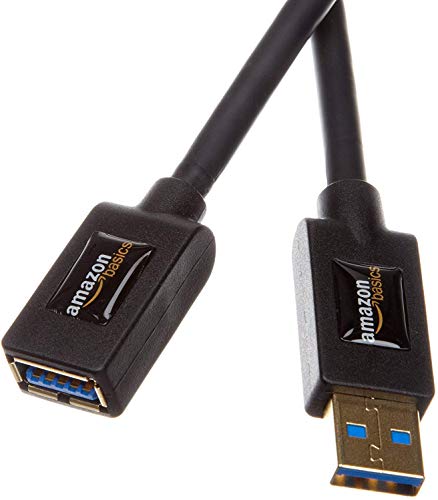
- 9.8-foot USB-A male-to-female design
- Up to 4.8 Gbps data transfer
- Shielded, gold-plated connectors
Best For: Longer connections to printers, cameras, mice, and other USB peripherals
Durable 10-Foot Choice
Cable Matters USB 3.0 Extension Cable

- 10-foot USB-A extension cable
- Up to 5 Gbps transfer speeds
- Shielding and molded strain relief
Best For: High-speed storage, VR headsets, hubs, and gaming peripherals
Flexible Everyday Option
UGREEN USB 3.0 Extension Cable

- 6-foot USB-A male-to-female cable
- Up to 5 Gbps data transfer
- Shielded and tested for over 15,000 bends
Best For: Home, office, gaming, and general peripheral connections
Braided Long-Length Pick

- 10-foot USB-A extension cable
- Up to 5 Gbps data transfer
- Braided nylon jacket with reinforced joints
Best For: Gaming consoles, televisions, computers, and frequently handled setups
Best Rugged 2-Pack
AINOPE 6.6-Foot USB 3.0 Extension Cables
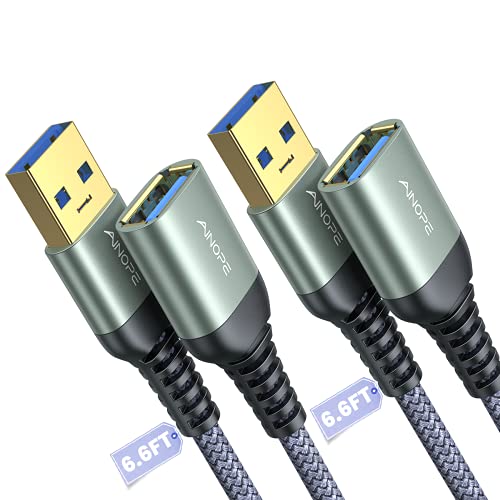
- 5 Gbps USB 3.0 data transfer
- Braided cable with reinforced joints
- Includes two cables and sticky buckles
Best For: Multiple USB-A peripheral setups needing extra durability
Best Simple Value Pack
Amazon Basics 3-Foot USB 3.0 Extension Cables

- Up to 4.8 Gbps USB 3.0 transfer
- Gold-plated, corrosion-resistant connectors
- Two short cables for desk peripherals
Best For: Printers, cameras, mice, and compact desktop setups
Best Long-Reach Option
AINOPE 10-Foot USB 3.0 Extension Cable

- 10-foot reach for flexible device placement
- 5 Gbps USB 3.0 data transfer
- Braided, reinforced construction with buckle
Best For: Distant webcams, cameras, gaming, and storage devices
Best Compact Pick

- Up to 5Gbps USB 3.0 transfers
- Braided cable rated for 20,000+ bends
- Supports peripherals and charging up to 2A
Best For: Nearby USB-A peripherals and compact desktop setups
Best Long-Reach Value
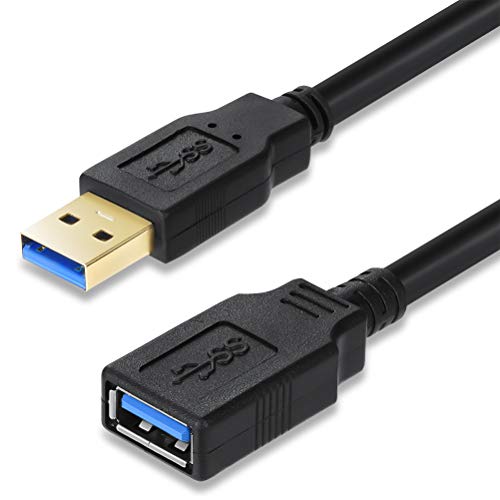
- 15-foot reach for distant USB ports
- Up to 5Gbps USB 3.0 transfer rate
- Shielded and backward compatible
Best For: Desktops, TVs, and workspaces needing substantial extra reach
Best Maximum Reach

- 20-foot USB-A extension length
- Up to 5Gbps data transfer
- Shielded, backward-compatible, and driver-free
Best For: Large setups and equipment positioned far from a computer
Reliable Long-Reach Pick – Amazon Basics USB 3.0 Extension Cable
For shoppers seeking USB extension cables for data transfer, this 9.8-foot Amazon Basics model offers a practical way to extend a USB connection between a computer and peripherals. Its USB 3.0 design supports up to 4.8 Gbps and remains suitable for devices such as printers, cameras, and mice.
Best For: Extending USB connections to everyday computer peripherals across a longer distance.
Pros:
- 9.8-foot length provides useful reach under desks or around workspaces.
- USB 3.0 supports data transfer rates up to 4.8 Gbps.
- Gold-plated connectors and shielding help support signal clarity and reduce interference.
Cons:
- Uses USB Type-A connectors, so it is not designed for USB-C-only devices.
- Its round black cable may be less convenient for highly portable setups.
This is a straightforward choice when you want extra distance without giving up USB 3.0 performance. The shielding and corrosion-resistant connectors add useful practical touches for a desk-based connection.
Durable 10-Foot Choice – Cable Matters USB 3.0 Extension Cable
This Cable Matters model is a strong option among USB extension cables for data transfer when you need a 10-foot reach. It supports up to 5 Gbps, works with USB 3.0 and older USB devices, and is built for peripherals ranging from hard drives and hubs to VR headsets.
Best For: Long-distance connections involving high-speed storage, hubs, gaming accessories, or VR equipment.
Pros:
- 10-foot length offers generous placement flexibility.
- Supports SuperSpeed transfer rates up to 5 Gbps with USB 3.0 devices.
- Backward compatible with USB 2.0 and USB 1.x peripherals.
- Gold-plated connectors, copper conductors, and foil-and-braid shielding support reliable transmission.
Cons:
- USB Type-A male-to-female connectors limit compatibility with USB-C ports.
- The long cable may be more than needed for compact desk setups.
With its combination of 10-foot reach and 5 Gbps capability, this cable suits demanding peripheral setups. Molded strain relief and grip treads also make repeated plugging and unplugging more manageable.
Flexible Everyday Option – UGREEN USB 3.0 Extension Cable
UGREEN’s 6-foot cable is a convenient choice for USB extension cables for data transfer, especially when you want enough reach for a desk, television, or gaming area. It delivers up to 5 Gbps, supports older USB standards, and is compatible with peripherals including controllers, cameras, drives, printers, and hubs.
Best For: Everyday home, office, and gaming setups that need a flexible 6-foot extension.
Pros:
- 6-foot length balances reach with easier cable management.
- Supports up to 5 Gbps transfer speeds and backward compatibility with USB 2.0, 1.1, and 1.0.
- Multiple shielding layers, gold-plated connectors, and a reinforced joint help support durability.
- Designed for plug-and-play use without requiring drivers.
Cons:
- USB-A connectors are not suitable for ports that accept only USB-C.
- Its stated charging capability is up to 2A, which may not suit every charging setup.
This cable offers a useful middle ground between portability and reach. Its broad peripheral compatibility and bend-tested construction make it a practical general-purpose extension for home or office use.
Braided Long-Length Pick – 10FT USB 3.0 Extension Cable
This 10-foot braided cable is worth considering if you need USB extension cables for data transfer with extra reach and a more protective outer jacket. It supports up to 5 Gbps and is compatible with USB 3.0 and USB 2.0 peripherals such as consoles, hard drives, printers, cameras, and computers.
Best For: Long-distance home entertainment, gaming, and office connections where a braided jacket is useful.
Pros:
- 10-foot length helps connect devices positioned farther from a computer or television.
- Supports up to 5 Gbps transfer speeds and backward compatibility with earlier USB standards.
- Nylon-braided jacket, reinforced joints, and aluminum alloy housing provide added physical protection.
- Reportedly tested through more than 10,000 bends.
Cons:
- USB Type-A male-to-female design does not directly support USB-C ports.
- Its 10-foot length may create extra slack in smaller work areas.
The braided construction makes this a compelling option when the cable will be moved or handled frequently. It combines long reach with high-speed USB 3.0 performance for a broad range of peripherals.
Best Rugged 2-Pack – AINOPE 6.6-Foot USB 3.0 Extension Cables
For shoppers comparing USB extension cables for data transfer, this AINOPE two-pack combines USB 3.0 speeds with a braided exterior and reinforced connections. Each male-to-female cable measures 6.6 feet and supports USB 3.0, USB 2.0, and USB 1.1 devices.
Best For: Extending computers to hubs, printers, storage drives, scanners, keyboards, mice, and other USB-A peripherals where two cables are useful.
Pros:
- USB 3.0 data transfer rated up to 5 Gbps and compatible with older USB standards.
- Armor nylon braiding, reinforced SR joints, and an all-metal aluminum-alloy connector design.
- Includes sticky buckles to help organize excess cable length.
- Two 6.6-foot cables provide useful reach for multiple setups.
Cons:
- Uses USB-A male-to-female connectors rather than newer USB-C connections.
- The supplied specifications list a maximum current of 2A, which may limit some charging applications.
This is a practical pick when durability, cable organization, and a two-pack matter as much as transfer speed. Its broad USB-A compatibility makes it flexible for common indoor and outdoor setups.
Best Simple Value Pack – Amazon Basics 3-Foot USB 3.0 Extension Cables
These Amazon Basics cables offer a straightforward option for USB extension cables for data transfer. The two-pack uses USB-A male-to-female connectors, 3.3-foot lengths, protective shielding, and USB 3.0 performance rated up to 4.8 Gbps.
Best For: Short extensions for printers, cameras, mice, and other USB computer peripherals.
Pros:
- USB 3.0 supports data rates up to 4.8 Gbps and uses less power than the listed USB 2.0 comparison.
- Gold-plated connectors are designed for corrosion resistance and signal clarity.
- Shielding helps minimize interference.
- Two cables are included for convenient backup or multiple devices.
Cons:
- At 3.3 feet, the cables provide less reach than the longer alternatives here.
- USB-A connectors limit compatibility with devices that require USB-C or another connector type.
This pack suits buyers who want uncomplicated, short-range USB-A extension without paying for extra length or specialized features. It is especially sensible for a desk or office peripheral setup.
Best Long-Reach Option – AINOPE 10-Foot USB 3.0 Extension Cable
If reach is your priority when choosing USB extension cables for data transfer, this AINOPE model provides a 10-foot male-to-female USB 3.0 connection. It supports transfer speeds up to 5 Gbps, up to 2A charging, and backward compatibility with USB 2.0 and USB 1.1 devices.
Best For: Extending USB-A webcams, surveillance cameras, keyboards, storage drives, printers, or game setups when the connected device is several feet away.
Pros:
- 10-foot length provides substantially more placement flexibility.
- USB 3.0 supports data transfer up to 5 Gbps and backward compatibility with older USB standards.
- Nylon braiding, reinforced SR joints, and an all-metal aluminum-alloy connector improve physical protection.
- Includes a sticky buckle for managing excess cable.
Cons:
- Only one cable is included.
- The USB-A male-to-female design is not a direct solution for USB-C-only devices.
- The supplied charging specification is limited to up to 2A.
This is the strongest choice of the three for long-distance placement, including surveillance or gaming arrangements. The braided construction and cable-management buckle help make the extra length easier to handle.
Best Compact Pick – 3.3ft USB 3.0 Extension Cable
For short-distance setups, this 3.3-foot ANDTOBO cable is a practical choice among USB extension cables for data transfer. Its USB-A male-to-female design supports transfer speeds up to 5Gbps and works with common peripherals such as keyboards, webcams, printers, flash drives, and game controllers.
Best For: Extending nearby USB peripherals, gaming accessories, webcams, and storage devices without adding much cable clutter.
Pros:
- Supports USB 3.0 data transfer speeds up to 5Gbps.
- Nylon-braided construction is rated for over 20,000 bends.
- Gold-plated connectors, metal housing, and multilayer shielding help reduce interference.
- Supports charging up to 2A in addition to data synchronization.
Cons:
- The 3.3-foot length may be insufficient for distant ports or entertainment-center setups.
- It uses USB Type-A connectors, so it does not directly extend USB-C ports.
This cable makes the most sense when you want a durable, compact extension for everyday USB-A devices. Its shorter length is easier to manage than a long cord while still offering USB 3.0 performance.
Best Long-Reach Value – 15FT USB 3.0 Extension Cable
This 15-foot USB-A male-to-female cable is designed for setups where the computer or TV port is difficult to reach. It supports USB 3.0 transfer speeds up to 5Gbps, making it a useful option when shopping for USB extension cables for data transfer across a larger workspace.
Best For: Reaching ports behind desktops, TVs, or other equipment while connecting storage devices, printers, keyboards, mice, and card readers.
Pros:
- Provides 15 feet of extra reach for hard-to-access USB ports.
- Supports USB 3.0 speeds up to 5Gbps when connected to a compatible host.
- Backward compatible with USB 2.0, 1.1, and 1.0, with speed limited by the USB bus.
- Aluminum-foil and metal-braid shielding helps isolate electromagnetic interference.
Cons:
- The long cable may be more difficult to manage in a compact workspace.
- USB 3.0 speeds require compatible ports and devices.
- It is intended for USB-A connections rather than USB-C-only equipment.
The 15-foot length is the main reason to choose this model. It offers broad backward compatibility and plug-and-play operation, but users should have enough room to route and secure the extra cable.
Best Maximum Reach – 20FT USB 3.0 Extension Cable
When 15 feet is not enough, this 20-foot USB-A male-to-female extender provides additional reach for peripherals and storage devices. It supports data transfer up to 5Gbps and is a strong fit for buyers comparing USB extension cables for data transfer in spacious or hard-to-access setups.
Best For: Extending USB connections across larger rooms, around desks, or to equipment positioned far from the host computer.
Pros:
- Offers 20 feet of extension for maximum placement flexibility.
- Supports USB 3.0 data rates up to 5Gbps.
- Backward compatible with USB 2.0, 1.1, and 1.0 devices.
- Double-layer shielding helps reduce signal interference, and no driver is required.
Cons:
- The extra-long cable can create more routing and cable-management work.
- Actual speed depends on the connected USB ports, devices, and bus standard.
- The USB-A design is not a direct solution for USB-C-only ports.
This is the best match of the three for situations requiring maximum cable length. Its plug-and-play design keeps setup simple, while the long run is most useful when equipment cannot be positioned close to the host port.
How We Picked the Best USB Extension Cables for Data Transfer
We focused on USB 3.0 Type-A male-to-female cables designed for data transfer rather than charging alone. The selection covers commonly advertised speeds of 4.8Gbps or 5Gbps, several useful lengths, single cables, and multipacks. We also considered connector construction, shielding claims, compatibility with common USB-A peripherals, and whether each cable suits a realistic desktop, entertainment, or gaming setup.
Because actual performance can vary with the source device, destination device, cable length, and surrounding interference, advertised speed should be treated as a maximum rather than a guarantee.
Quick Comparison
| Best For | Recommended Length | What to Look For |
|---|---|---|
| Desk peripherals | 3 to 6 feet | Flexible construction and dependable connectors |
| Console or TV setups | 6 to 10 feet | USB 3.0 support and enough slack for routing |
| Hard-to-reach devices | 15 to 20 feet | Careful placement and realistic speed expectations |
| Multiple accessories | Two-pack | Consistent specifications and better value |
Key Buying Factors for USB Extension Cables for Data Transfer
USB Standard and Speed
Choose USB 3.0, also called USB 3.1 Gen 1 or USB 3.2 Gen 1 in some product listings, when you need faster transfers than USB 2.0. A cable rated at 5Gbps is suitable for many external drives, flash drives, cameras, and peripherals, but the connected devices must also support the faster standard.
Length and Signal Reliability
Shorter cables generally make cable management easier and reduce the distance a signal must travel. Six- to 10-foot cables are versatile for most desks and entertainment centers. Fifteen- and 20-foot extensions can solve placement problems, but they may be less suitable for demanding storage transfers, especially when combined with another long cable or a passive hub.
Connector and Cable Construction
Look for firmly molded USB-A connectors, strain relief, shielding, and a cable jacket that can withstand regular bending. Gold-plated connectors may help resist corrosion, but they do not automatically make a cable faster. Check that the male-to-female layout matches your existing cable and device.
Compatibility and Power
These extensions are intended for USB-A connections. They can work with keyboards, mice, game controllers, printers, flash drives, and other compatible devices, but they do not convert USB-A to USB-C or solve every power limitation. Bus-powered drives and other high-draw devices may perform better with a shorter cable or an active extension.
Who Should Buy Which USB Extension Cables for Data Transfer?
Choose a 3- to 6-foot cable for a keyboard, mouse, controller, or nearby flash drive. A 9.8- to 10-foot option is a better fit when a console, television, or desktop accessory is several feet away. A two-pack makes sense for households or workstations that need separate extensions for multiple peripherals. For a 15- or 20-foot run, prioritize reach and test the connection with your specific device before relying on it for frequent high-speed storage transfers.